A supply agreement sounds simple: how many flowers, at what price, on which loading date. In practice, such an agreement can quickly become fragmented. A grower sends an offer by email. Equaflor responds with a different price. A week later, the number of boxes changes. Then there is another phone call about an extra loading date.
Before you know it, nobody is sure which version is correct anymore. Was that price confirmed? Was it week 32 or week 33? And who still had to respond?
That is why the Equaflor Portal includes the Grower Agreements feature. Not as an extra place next to daily operations, but as a shared working environment where Equaflor and growers record supply together. The main principle is simple: everyone sees the same agreement and everyone always knows whose turn it is.
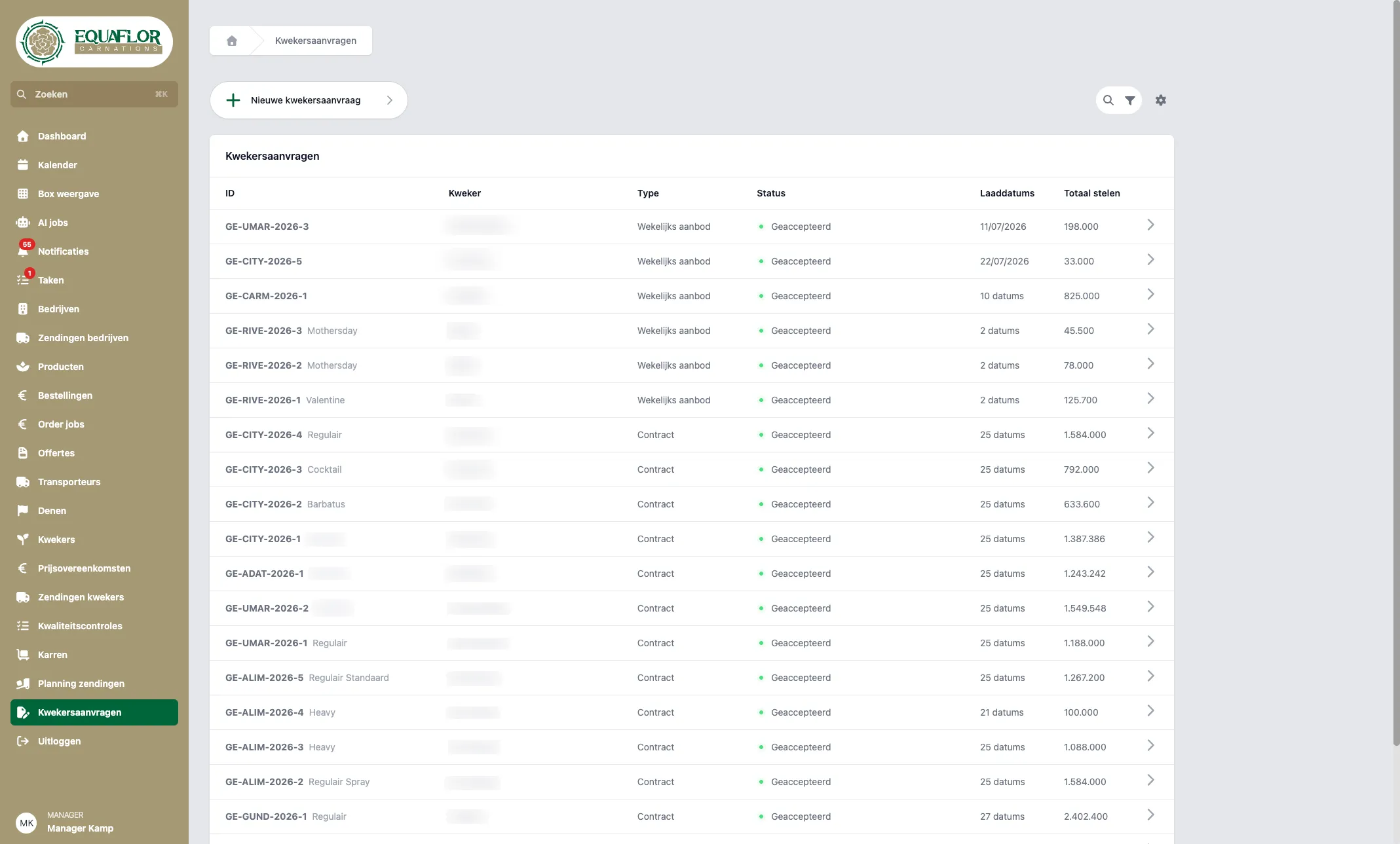
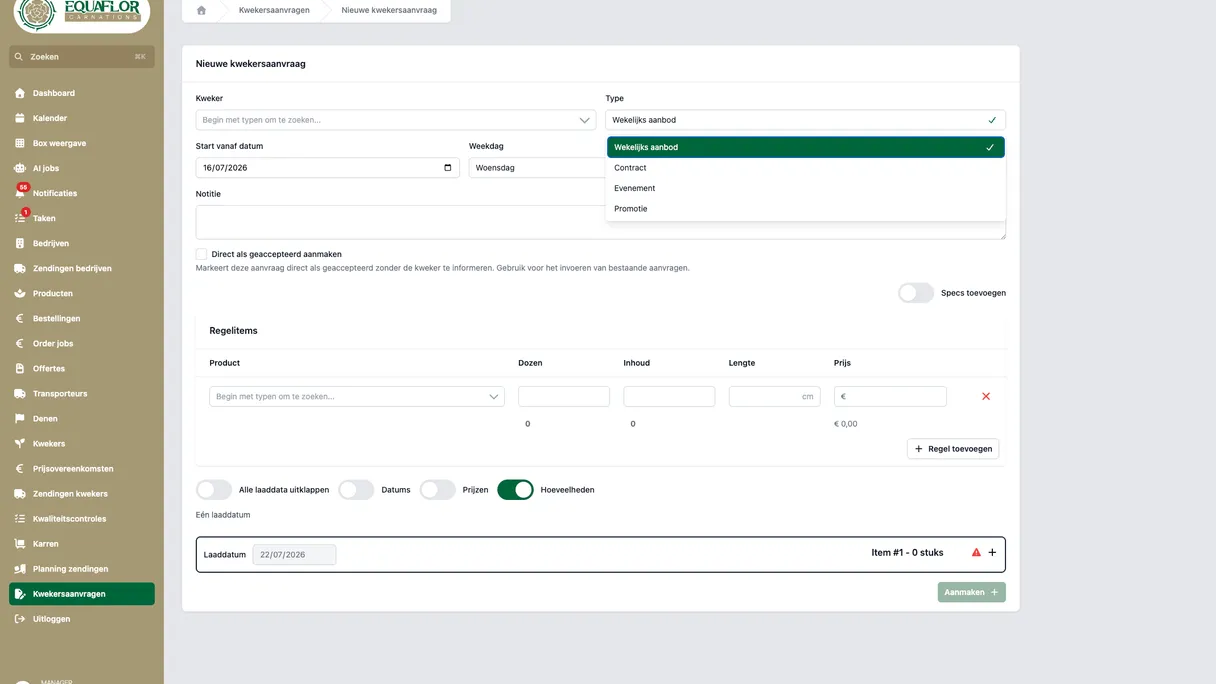
Overview of grower requests in the Equaflor Portal.
What is the Equaflor Portal?
The Equaflor Portal is the online working environment of Equaflor Carnations, a flower trading company. In the portal, daily operations come together, from grower to customer.
Equaflor employees use it for orders, quotations, shipments, quality checks, price agreements, logistics and AI support when processing grower documents, among other things. Growers use it to view their shipments and quality checks, and to create or respond to requests. Customers and transport partners see the parts that are relevant to their role.
That is important. A portal only works well if people do not have to search through unnecessary screens. A manager does different work than a grower. A transport partner needs different information than a customer. In the Equaflor Portal, every role therefore gets an appropriate entry point.
The environment is available in Dutch and English. Dutch is the default language. For the feature discussed in this article, managers see Kwekersafspraken in the Dutch menu. Growers see Aanvragen. It is the same underlying agreement, but the name matches the user.
Why scattered email is not enough for supply agreements
Negotiating flower supply is rarely a straightforward process. There are weekly offers, contract volumes, offers for an event and promotions. Several loading dates can play a role in each proposal. And each loading date includes lines with product, number of boxes, stem length and price.
When such a conversation runs through email, phone calls and separate notes, familiar problems arise:
- The latest version is not clear to everyone.
- A change in price or quantity gets lost in a long email thread.
- Different weeks get mixed up.
- Nobody is sure who still needs to respond.
- An agreed arrangement later has to be retyped into planning or shipment processing.
Grower Agreements replace that scattered flow with one shared agreement in the portal. Loading dates and product lines are kept together there. Both parties respond to the same version. If something changes, that change becomes part of the agreement itself.
The value is not only in recording information. The value is mainly in creating calm. There is one place to look, one current version and one clear next step.
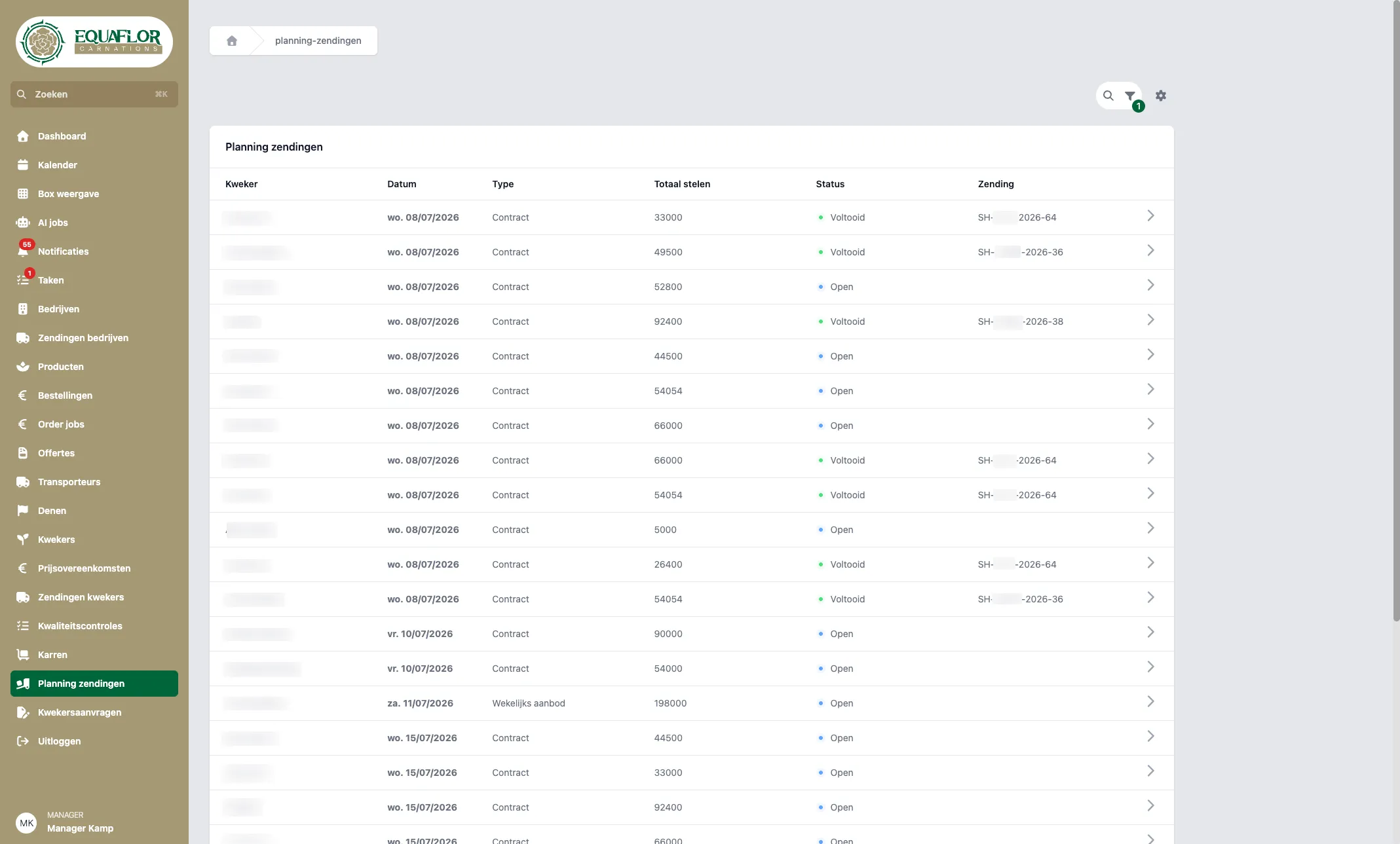
Overview of planned shipments in the Equaflor Portal.
The core idea: who has the ball?
Grower Agreements revolve around a simple principle: who has the ball? Only the party whose turn it is can change the agreement and choose the next action. The other party can view it and ask questions via chat, but waits for the formal response.
That may sound small, but it resolves a large part of the confusion. Instead of three people pulling on a proposal at the same time, there is always one clear owner of the next step.
In practice, it looks like this:
- Someone creates a proposal with loading dates and product lines.
- The proposal is sent to the other party.
- The recipient first views the agreement as a read-only version.
- The recipient can approve it, make changes and send it back, or reject the agreement.
- If changes are made, the ball goes back to the other party.
- Only when both parties have signed is the agreement accepted.
That read-only step is intentional. The portal first invites someone to review before making changes. This prevents unintended edits and keeps the conversation orderly.
If someone changes something, the other party’s earlier signature expires. That is logical: you do not approve a version that changes afterwards. The amended agreement must be sent back again. This keeps the process fair and auditable.
What is included in a Grower Agreement?
A Grower Agreement is not a separate product list. The agreement is built around loading dates. A loading date is the day on which flowers are expected to be loaded or shipped. The related lines are listed under each loading date.
A line includes, among other things:
- the product
- the number of boxes
- the quantity per box
- the stem length
- the price
- an optional comment
The portal also shows the number of stems, calculated from boxes and quantities per box. When creating an agreement, additional details can be added, such as weight and flowering stage. This helps when quality or specification is especially important.
For larger offers, it is important that the work does not take unnecessary time. That is why a user can work with a template of product lines. If you add multiple loading dates, each date gets its own copy of those lines. For offers covering multiple weeks, a week generator helps build several weeks more quickly. Dates, prices or quantities can still be adjusted per week.
The overview also remains clear later on. Loading dates are shown as expandable rows on the detail page. You see the date, status, number of stems and, once the agreement has been completed and linked, a link to the shipment. For larger changes, batch editing can help adjust multiple lines at once, such as length, price, boxes or quantities.
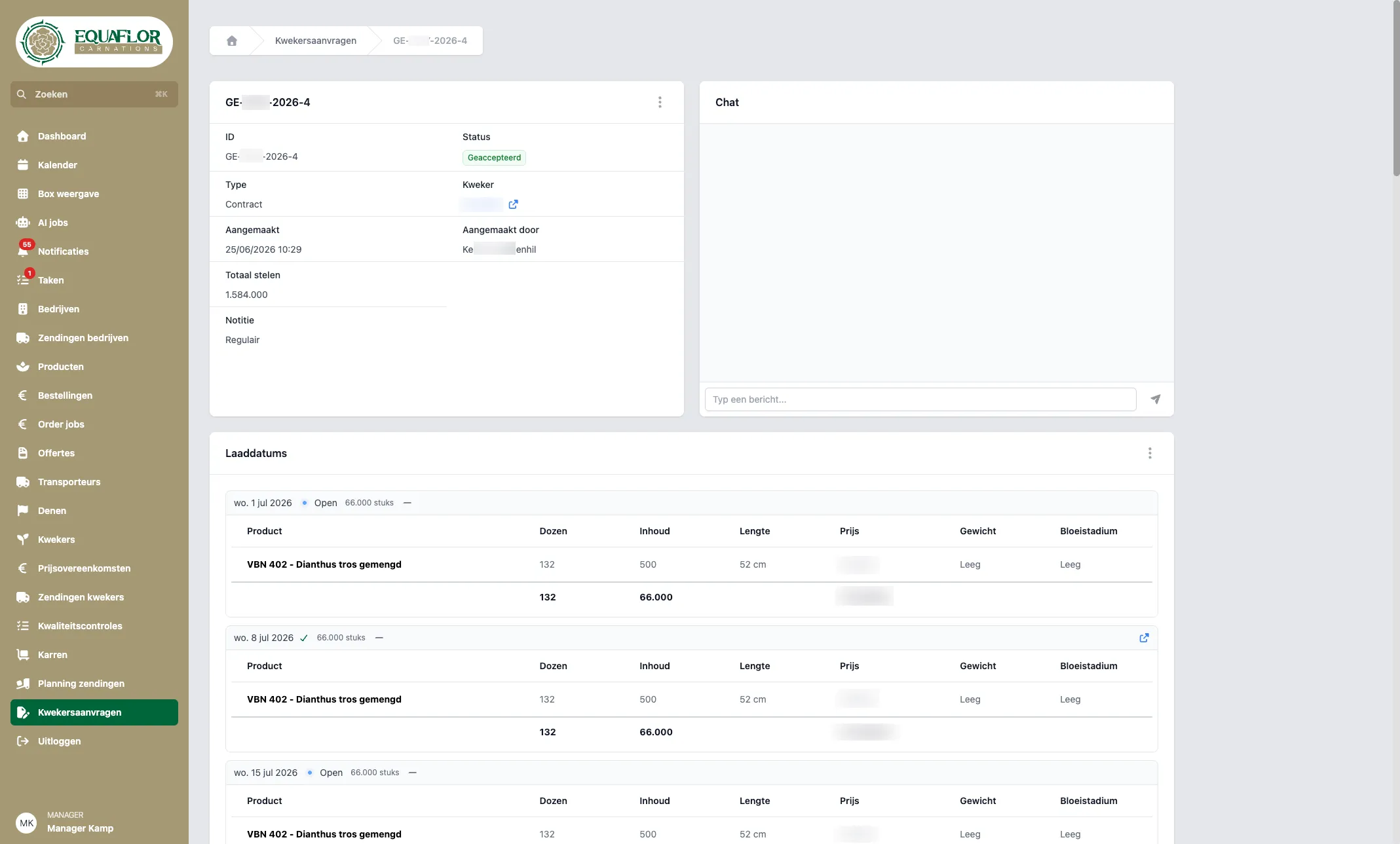
A grower request with its contract in the Equaflor Portal.
From draft to accepted agreement
A Grower Agreement follows a recognizable path. First there is a draft. The creator enters the details, adds loading dates and checks the proposal. Then the agreement is sent. From that moment on, it is no longer a separate note, but an active negotiation between Equaflor and the grower.
When sending, the sender signs their side. The ball goes to the other party. That party receives an email with a summary and a link to the agreement in the portal. There, the recipient can view exactly what has been proposed.
During the negotiation, there are three clear choices:
- Approve: the party signs the agreement, provided nothing has changed since the other party signed.
- Make changes: the agreement is adjusted and sent back.
- Reject: the agreement is definitively rejected.
When both parties have signed, the agreement receives the accepted status. From that moment on, the agreement is read-only. That is exactly what you want with agreed arrangements: no repeated discussion about which version was the latest.
There are also exceptions for daily practice. Managers can archive an agreement. A grower can archive their own draft as long as it has not yet been sent. Managers also have a route to create an agreement directly as accepted, for example when supply has already been coordinated outside the portal and only needs to be recorded neatly.
Statuses make progress visible
A good workflow depends on clear language. That is why Grower Agreements use statuses that are recognizable to users.
- Draft: the agreement is still being prepared and has not yet been sent.
- Negotiating: there is an active back and forth between Equaflor and the grower.
- Accepted: both parties have signed and the agreement is fixed.
- Rejected: the agreement has been refused and will not be used further.
- Archived: the agreement is closed or historical.
Loading dates also have their own planning status. An open loading date is planned and becomes visible in the calendar and shipment planning. A completed loading date is linked to a shipment, for example through an AI task when documents come in. An archived loading date has been removed during the negotiation and disappears from planning.
This is where the bridge to the rest of the operation appears. Only loading dates from accepted agreements move on to the calendar, shipment planning and selection for AI tasks. This means an agreed supply arrangement does not have to be followed up manually again. The agreement continues to the place where the work moves forward.
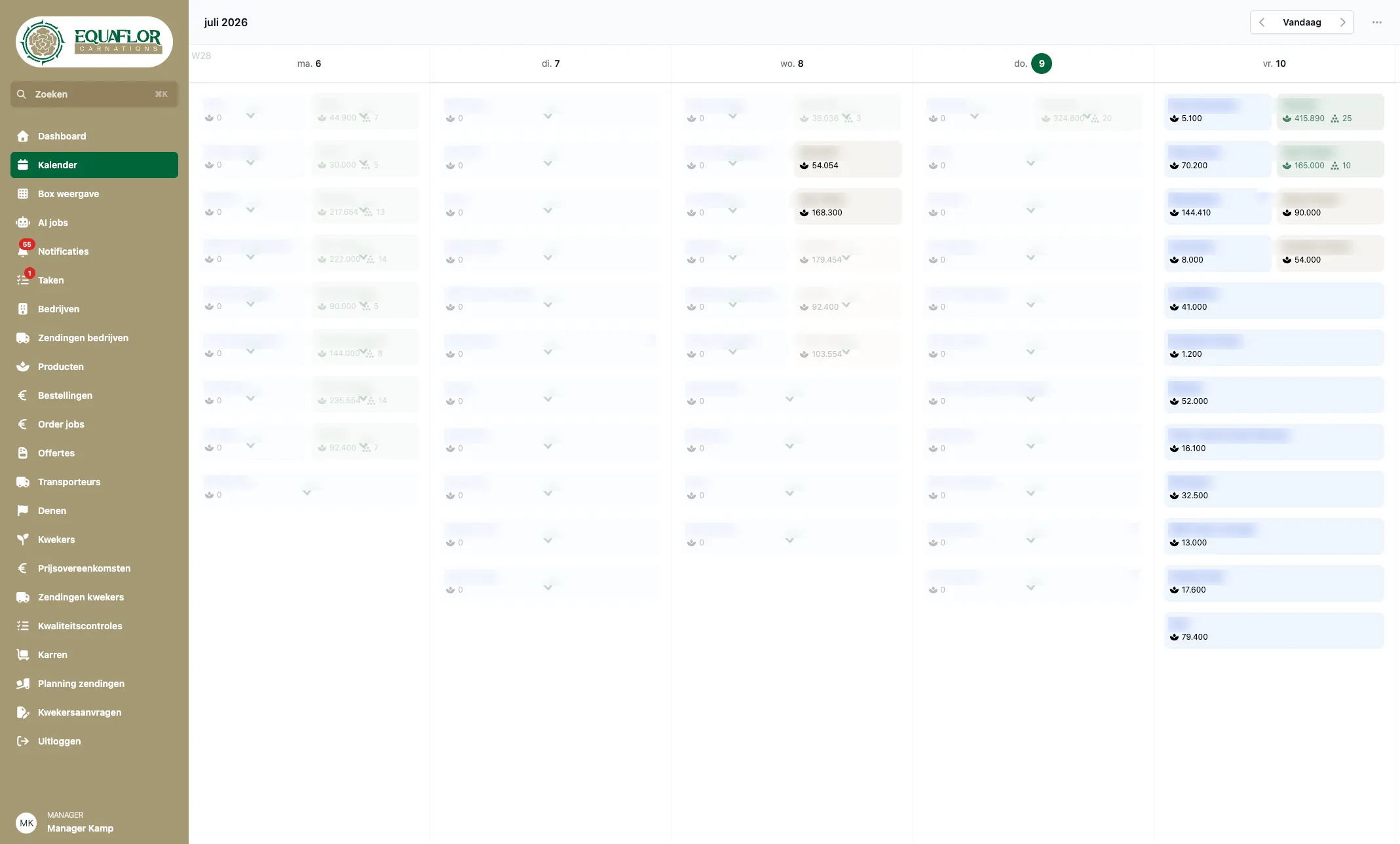
Shipment calendar in the Equaflor Portal.
Everyone stays informed, without noise
A shared agreement is only useful if people also know when they need to act. That is why the portal sends emails at key moments: when someone sends, returns, accepts or rejects an agreement. The email contains a summary of the loading dates and a direct link to the agreement.
Within the portal itself, there is a timeline. It shows what happened: created, sent, approved, lines added, loading dates changed. Not as a technical log full of unreadable fields, but as an understandable history.
That makes discussions shorter. If someone asks what was agreed last week, the answer is not spread across inboxes. It is on the agreement detail page.
For managers, the list view helps direct attention. They can search and filter by grower, type, number of stems, status and whose turn it is. The question no longer becomes: where was that agreement again? The question becomes: which agreement needs action today?
Human control remains central
Grower Agreements do not automate blindly. They make the process clearer, but the decision remains with people. Both parties must sign before supply is fixed. The party whose turn it is can reject. And every substantive change requires approval from the other side again.
That is exactly the balance you need in a trading process. The system enforces structure, but does not take over the commercial assessment. The grower and Equaflor continue to decide for themselves whether the price, quantity, date and quality are right.
The benefit lies in what disappears: doubt about the latest version, duplicate work, searching through email and uncertainty about who still needs to respond. In its place comes one shared agreement that moves step by step toward planning and shipment processing.
From agreement to execution
The strength of the Equaflor Portal lies in the connection between its parts. Grower Agreements are not separate from the rest. They form the start of the supply chain in the portal.
The route is clear:
- Equaflor and the grower negotiate supply.
- Both parties sign the same agreement.
- Accepted loading dates appear in the calendar and shipment planning.
- When grower documents come in, managers can link an AI task to a planned loading date.
- This can result in a draft shipment that is processed further.
In this way, an agreement naturally grows into execution, without anyone having to reconstruct what had been agreed. The portal uses the same growers, products and loading dates throughout the entire chain.
That is the essence of good custom software: not a separate screen that solves one problem, but a way of working that matches how the company really operates. For Equaflor, that means clear turns, one source of truth and a direct line from offer to planning and shipments.
For organizations with similar processes, this is the lesson. If agreements often go back and forth, involve multiple people and the outcome later needs to be processed operationally, it pays to structure the conversation itself. Do not make it heavier than necessary. Do make it clear enough that nobody has to guess who has the ball.