A customer sends an email about a problem with their solar panels. A week later, they ask: did my message actually arrive? Meanwhile, the team searches through mailboxes for photos, earlier replies and the latest status.
That is exactly the kind of uncertainty Control Energy wanted to avoid. That is why the Control Energy Portal was given a clear route for help requests: support tickets.
The principle is simple. One question becomes one support ticket. That ticket contains the status, messages and files together. The customer sees where the request stands. The team sees what needs to happen. Nobody has to guess who is handling something or where the latest attachment ended up.
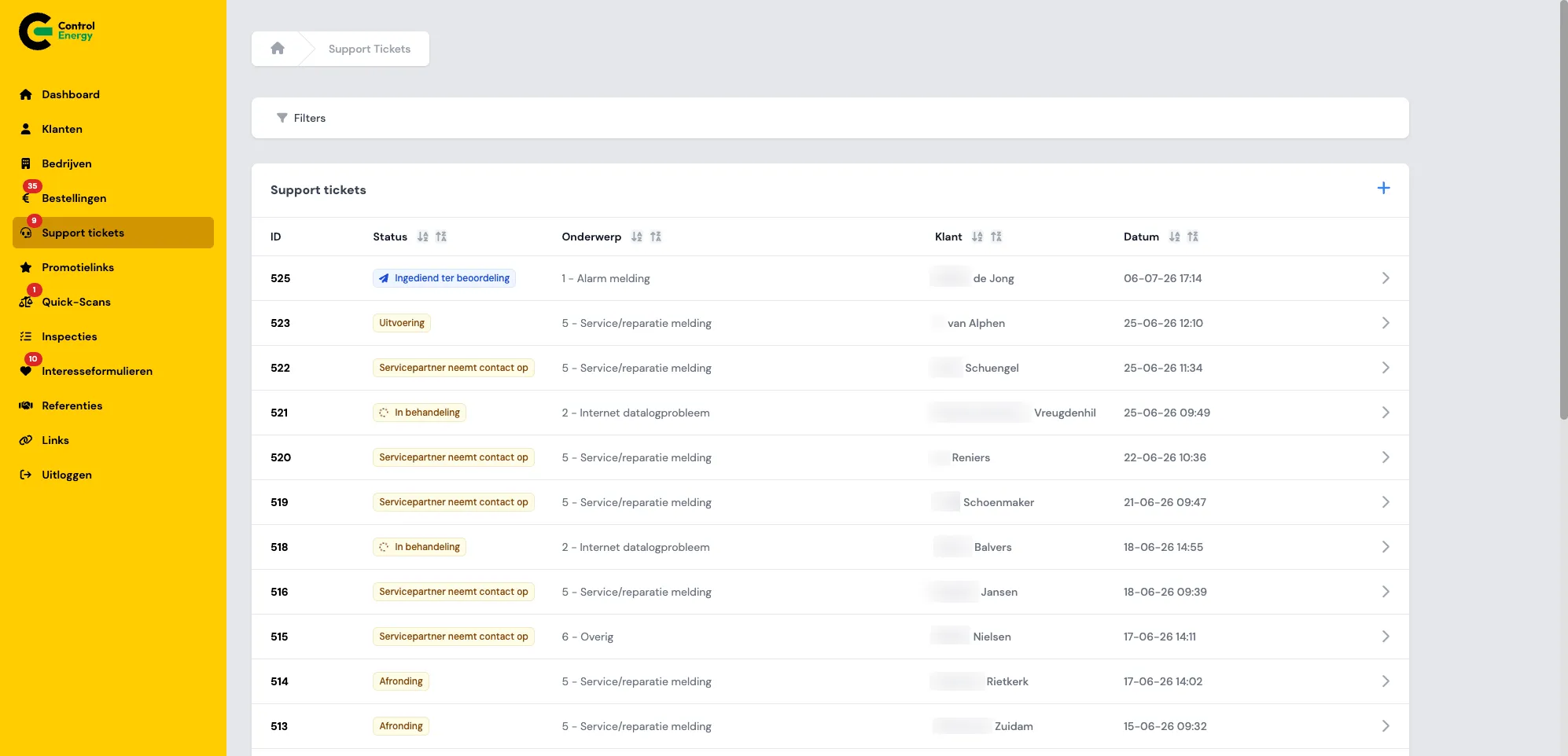
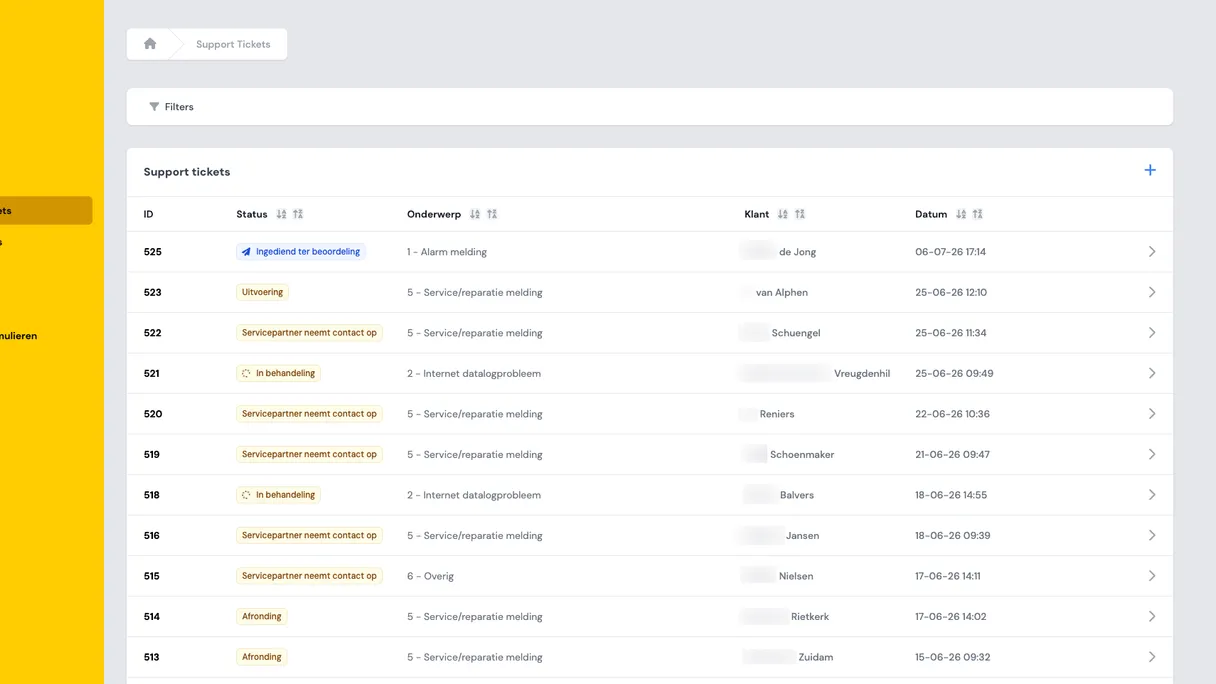
Employees see all tickets in the overview, including status, subject, customer and date.
What is the Control Energy Portal?
The Control Energy Portal is the online environment for Control Energy. Customers use the portal to buy services, pay invoices, upload documents and get support. Employees use the same environment to manage the underlying work.
The portal brings several components together:
- A product shop and checkout for one-off and recurring energy services, with payment via Stripe.
- Service requests after purchase, for example for the helpdesk, monitoring or an energy scan.
- Support tickets for customers with an active helpdesk.
- Self-service for documents, orders and active subscriptions.
- Management for customers, companies, orders, forms and promotional links.
- An integration with Pipedrive for following up users, orders and tickets.
You can see it as one shared workspace. Customers have their own side of the portal. Employees have an admin side. Behind the scenes, data is stored, emails are sent and processes are connected. The portal is available in Dutch and English, with Dutch as the default language.
In the case study about the Control Energy Portal, you can read more broadly why there was a need for one central platform instead of separate communication by email and phone.
The problem: help requests quickly disappear into separate communication
A question about solar panels is often not solved with one short answer. Think of an inverter notification, a question about monitoring, a warranty issue or coordination with an external service partner.
When that runs through regular email, familiar problems quickly arise:
- The customer is not sure whether the request has been received.
- It is unclear who is handling the request.
- Status updates become spread across long email threads.
- Photos, documents and earlier replies are stored in different inboxes.
- Employees cannot see at a glance which requests need attention.
That is frustrating for customers, but also for the team. An employee has to search before they can help. A colleague takes something over without the full context. A manager only sees late that an open request is still pending.
Support tickets replace that separate communication with one shared case file. Not more complicated, but calmer. The request, progress, messages and files are all in the same place.
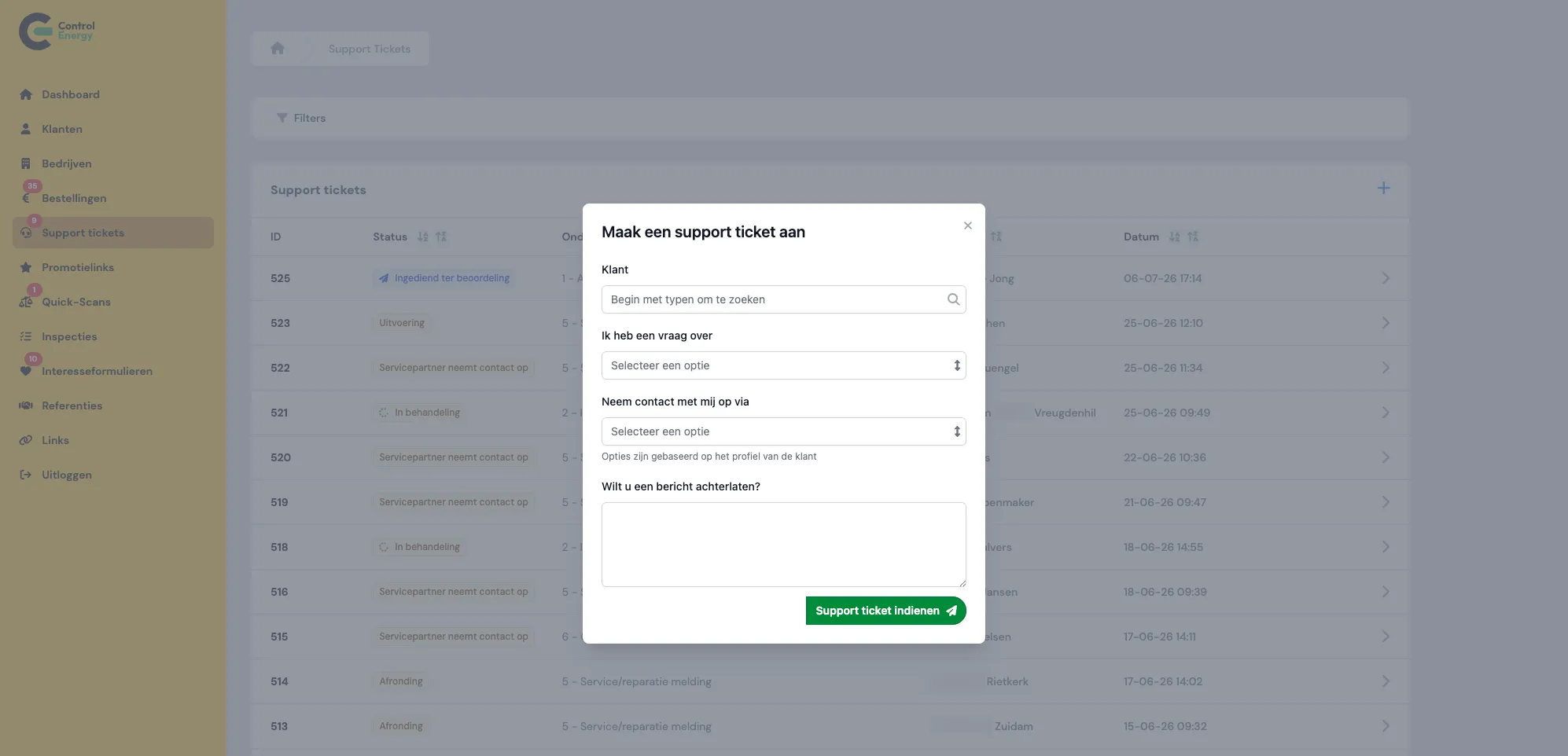
Customers can create a support ticket themselves; employees can do this too, with a subject, contact channel and message.
How a support ticket works
A support ticket is a structured help request for customers with an active Solar Panels helpdesk. Customers without an active helpdesk do not see the ticket route, but a general contact option. That distinction is important: support tickets belong to paid, structured support.
The route of a support ticket has deliberately been kept recognizable:
- The customer creates a new support ticket in the portal and chooses a subject.
- The portal creates a readable reference number, so the customer and the team can easily find the same ticket.
- The customer and the administrator receive a confirmation by email.
- Employees handle the ticket, update the status and add internal information where needed.
- The customer and employees communicate in one message thread, with files as attachments.
- When the problem has been solved, an employee marks the support ticket as completed.
When the ticket is created, a Pipedrive deal is also created for internal follow-up. Status changes and certain updates are synchronized with it. For the customer, the experience remains simple: they see a ticket with a clear status and all communication together.
The most important point remains the same: one help request, one place, visible progress until it is done.
The status bar makes progress visible
One of the strongest elements is the status bar on the support ticket detail page. The customer does not only see that a request is open, but also which phase that request is in.
The possible steps are set up in understandable language:
- Submitted: the ticket has been received and is waiting for review.
- In progress: an employee is analyzing and handling the request.
- Service partner will contact you: the ticket has been forwarded to an external service partner.
- Service order: agreement has been reached with the service partner.
- Work preparation and planning: materials or warranty matters are being arranged.
- Execution: the work is about to be carried out.
- Completion: the ticket is being processed administratively.
- Completed: the request has been solved and the ticket has been closed.
Not every ticket goes through every step. For a simple question, some phases are not needed. The portal can hide those steps, so the customer only sees what is relevant to their situation.
This prevents many separate questions. The customer does not have to email: what is the status? The answer is in the support ticket.
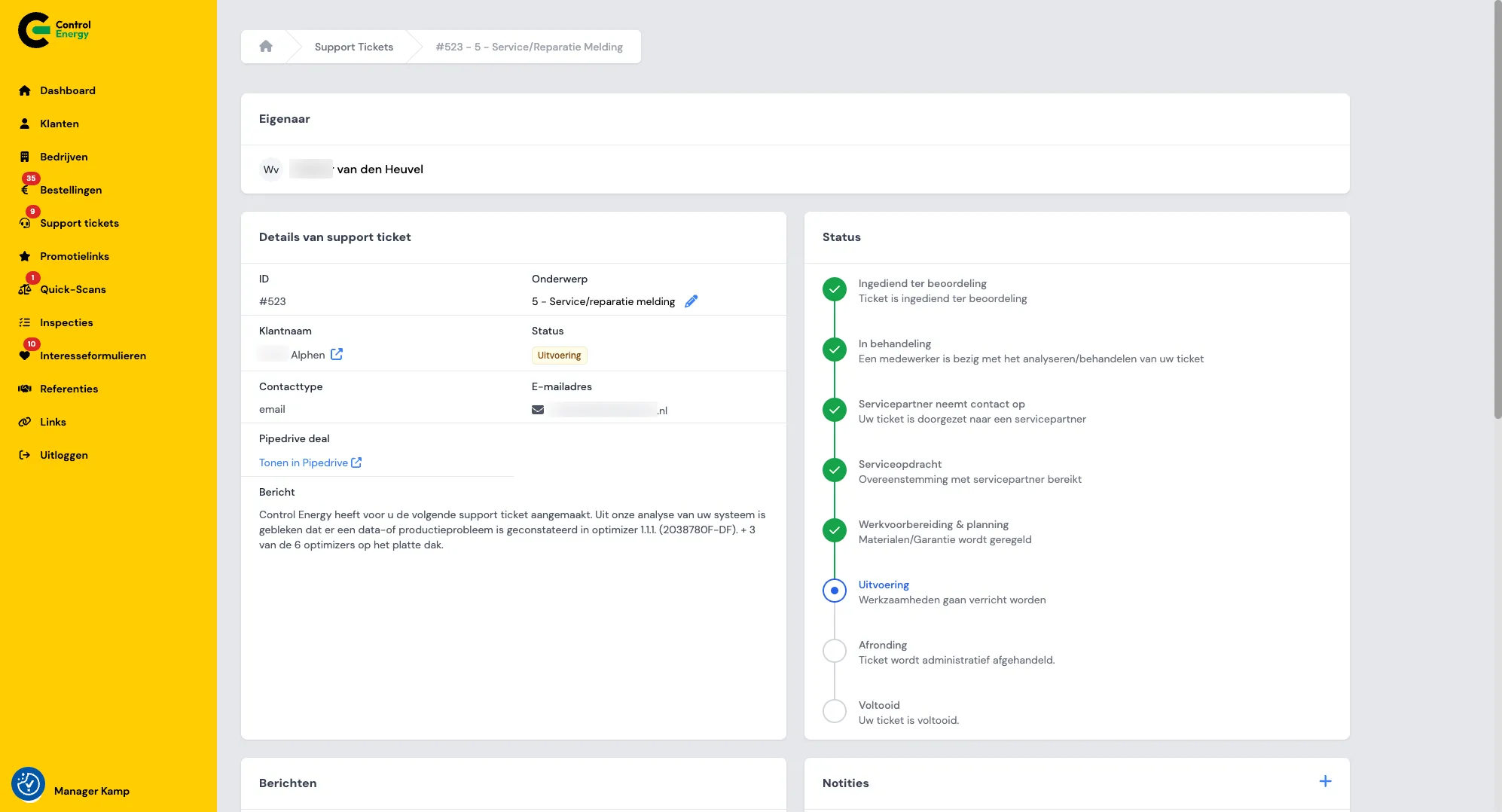
On the detail page, everyone follows progress through the status bar.
What the customer sees: overview without searching
Customers with an active helpdesk find their tickets under My support tickets. There they see their own support tickets with status and reference number. The detail page contains the full history.
That detail page has three practical functions:
- The status bar shows where the support ticket currently stands.
- The message thread shows all communication between the customer and the team.
- The customer can reply with text and files, for example photos or documents.
That sounds simple, but the effect is significant. The customer no longer has to search a mailbox for the latest reply. There is no separate attachment that only appears in an earlier email. There is one case file where everything comes together.
Email remains useful. At important moments, such as a new message, a status change or completion, the customer receives a notification. But the full content remains in the portal. The email points back to the place where the full context is available.
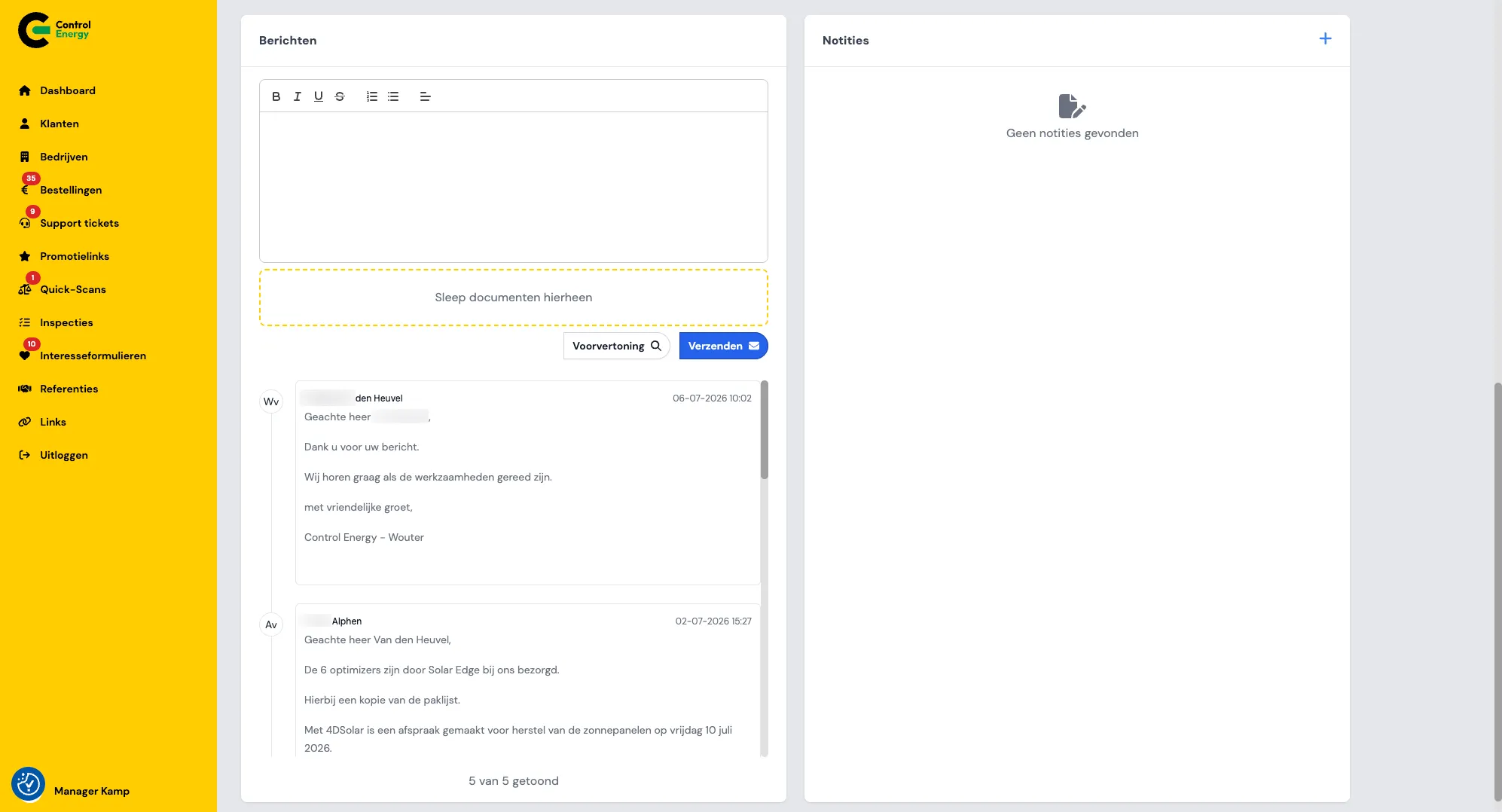
Customer and team exchange messages and files in one shared thread.
What employees see: control over open work
For employees, the support ticket is not only a customer-friendly front end. It is also a way to maintain an internal overview.
In the admin environment, employees can search and filter support tickets, for example by status or subject. Open tickets are counted in a badge in the sidebar. This allows the team to quickly see how many requests still need attention.
On the detail page, employees have additional options:
- Change the status through the progress bar.
- Update the subject if needed.
- Assign an owner, so it is clear who is responsible.
- Add internal notes for handover between colleagues.
- Open the linked Pipedrive deal.
Internal notes are only visible to employees. That is important. The team can coordinate and record context without burdening the customer with internal alignment. At the same time, communication to the customer remains neatly in the message thread.
Status changes require confirmation. A ticket is therefore not accidentally moved to the next phase. People remain in control, while the portal provides structure.
Why this goes beyond a contact form
A contact form is useful for a single question. But for service requests that require follow-up, it quickly falls short. After submission, the request often disappears into an inbox again. Then the searching, forwarding and repeated explanations begin.
A support ticket turns that request into a workable process. It has a subject, a status, an owner, a message thread and files. That makes it suitable for situations where multiple steps or multiple people are involved.
For Control Energy, this fits logically into the rest of the portal. Customers buy services, share documents, view orders and receive support in the same environment. In the article about the Solar Panels helpdesk in the Control Energy Portal, you can see how payment, onboarding and support are set up as one route. The article about promotional links in the checkout shows how the commercial side of the process also requires less manual work.
For organizations that combine many customer questions, documents and follow-up, this is the core idea: do not build a collection of separate forms. Build a workflow in which the customer and the team always see the same truth.
Conclusion: one support ticket creates calm for customer and team
The value of support tickets in the Control Energy Portal is not in a complicated feature. The value lies in removing noise.
The customer no longer has to ask whether a message has been received. The team no longer has to search for the latest attachment. A manager sees which tickets are open. And everyone looks at the same case file.
This makes support easier to follow from start to finish: one support ticket, one message thread, visible progress and files in the same place.
For House of Devs, this is exactly where custom portals are strong. Not building extra screens for the sake of building, but setting up a process so customers need to call less and teams need to search less. You can find more examples of these kinds of choices in our blog about self-service in customer portals.