A customer portal often sounds like a single product, but in practice it is a bundle of choices. Which actions should customers be able to perform themselves? Which information must always be up to date? And where is the manual work that you want to remove from your team?
At House of Devs, we see that valuable customer portals usually do not start with a long wish list. They start with recurring friction: status questions, separate documents, duplicate data entry, support across different channels and customers who do not know what the next step is.
In this article, we go through the features that make a self-service customer portal truly useful. Not as a checklist for building everything at once, but as a framework for making clear choices.
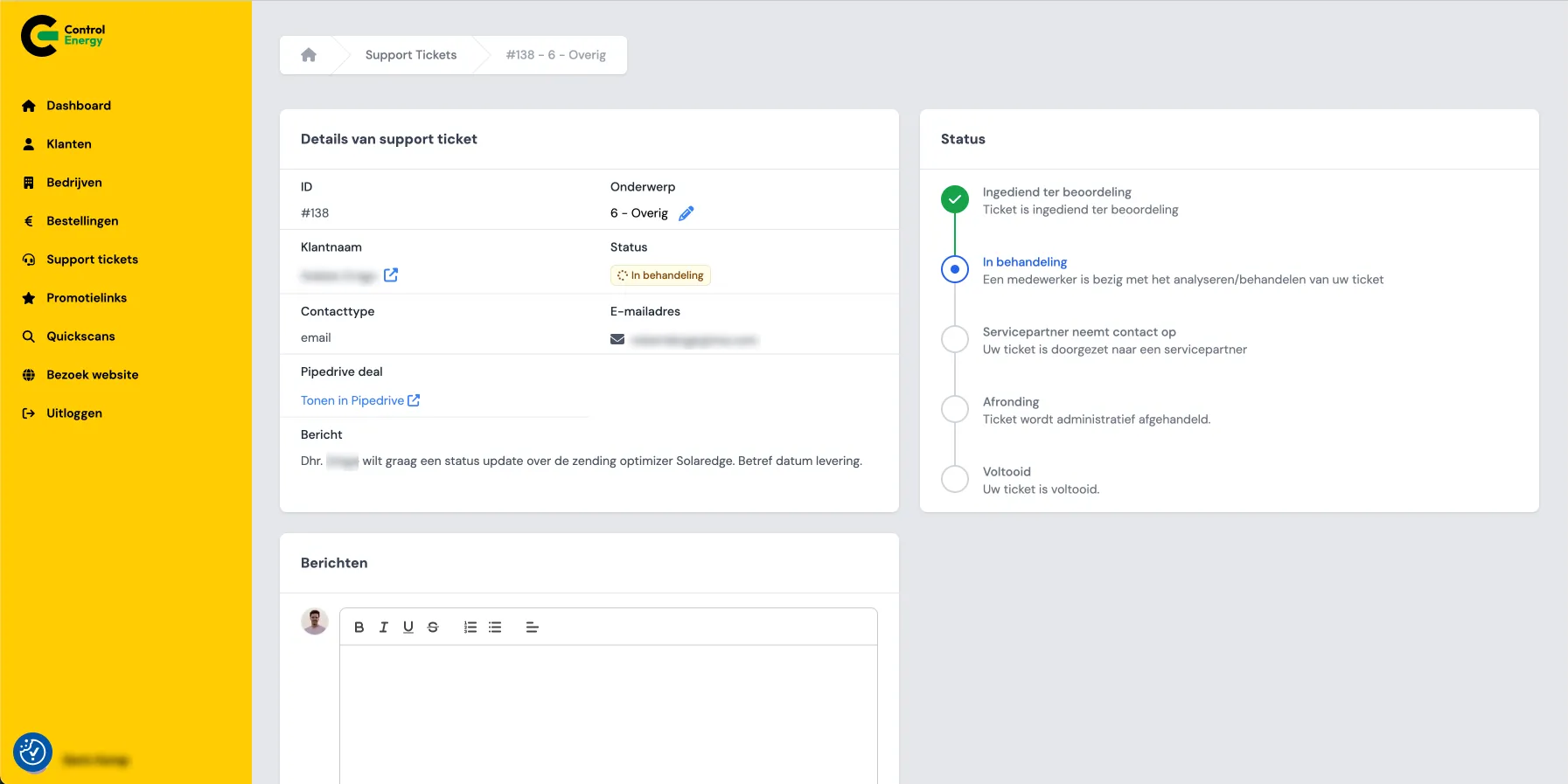
Screenshot of the Control Energy portal.
Start with the processes that currently create manual work
A customer portal only becomes valuable when work moves from inboxes, phone calls and spreadsheets into a controlled digital flow. That is why the first question is not: which screens do we need? The better question is: where are customers and employees currently losing time?
Common signals include:
- customers regularly ask about the status of an order, request or ticket;
- documents are shared manually by email;
- customer data is updated in multiple systems;
- support requests come in through email, phone, chat and separate forms;
- payments or orders still require a lot of administrative follow-up;
- employees need to inform customers about changes manually.
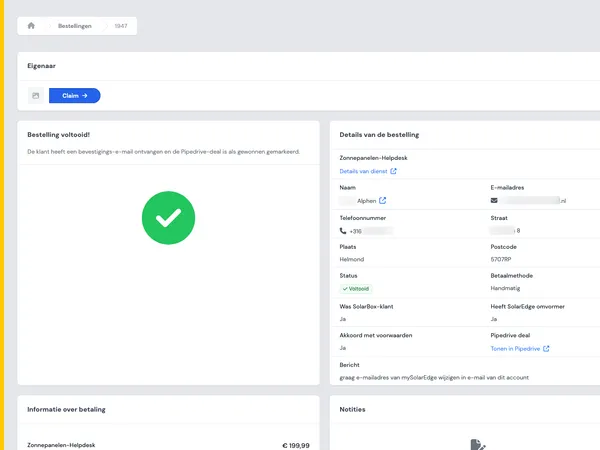
In the Control Energy case, for example, the portal plays a role in orders, payments, support tickets and chat. These are exactly the areas where self-service has a direct impact on speed and visibility.
The core idea: do not build a digital noticeboard. Build an environment where customers can complete tasks without intervention from your team.
Login, roles and permissions: the foundation of trust
As soon as customers can perform actions themselves, access becomes important. A customer portal must clearly define who is allowed to see and do what. That sounds technical, but it is mainly organizational.
Think of roles such as:
- administrator: can add users, edit data and manage settings;
- financial contact: sees invoices, payments and contract information;
- operational user: can create tickets, track status or place orders;
- viewer: can only view information.
For B2B portals, this is especially important because one customer often has multiple users. Roles prevent sensitive documents, payment information or location data from being visible to everyone.
Do not make permissions unnecessarily complex. Start with the roles that are truly needed. Only expand when you notice that customers need more nuance.
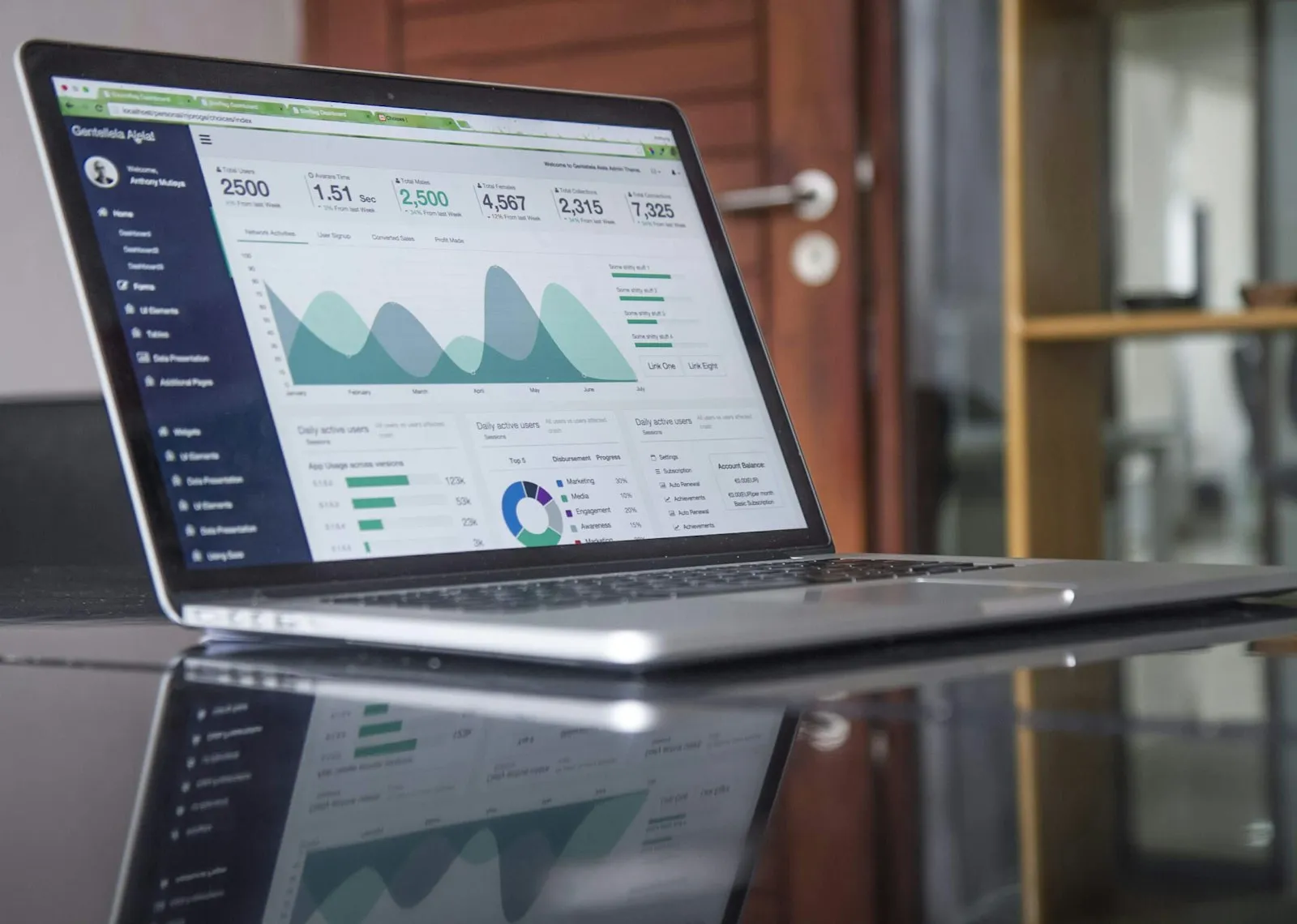
A laptop with digital reporting, symbolizing controlled access to customer information.
Customer data, locations and account management in one place
Self-service becomes powerful when customers can manage basic data themselves. Not everything has to go through support. Think of contacts, billing details, locations, preferences and notification settings.
At Ciekeboe, customer and location management, cameras, alerts and ticketing come together. This clearly shows why a portal is often more than an account page. Especially when services differ by location, the customer environment must understand that structure.
A practical portal makes the following possible, among other things:
- manage customer profiles;
- invite or remove users;
- add or edit locations;
- set notification preferences;
- view relevant installations, services or subscriptions;
- update account details securely.
Do pay attention to governance. Some changes can be applied immediately, while others must be approved first. That approval flow is often more important than the form itself.
Documents, status updates and notifications reduce questions
Many customer questions do not arise because the process is going wrong, but because the customer has no visibility into progress. A good customer portal makes status information proactively available.
Examples of useful status information include:
- order status or delivery phase;
- open actions for the customer;
- confirmations and contract documents;
- invoices and payment status;
- service appointments and scheduling;
- completed tickets or reports.
Document flows often deliver major gains here. If customers can always find the latest version of a document, a lot of email traffic disappears. Combine this with notifications so customers do not have to search for updates themselves.
Notifications should be selective. Too many alerts are ignored. For each process, choose which change truly requires action or attention.

Professionals discussing digital information and process updates around a work table.
Tickets, chat and support: make service measurable
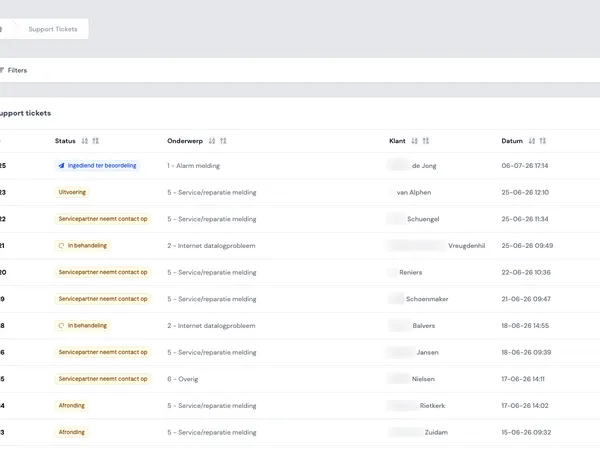
Support by email is accessible, but difficult to scale. Questions become scattered, priorities are not always clear and customers lack visibility. A customer portal can structure support without making the contact feel impersonal.
A strong support module usually includes:
- creating tickets with category, priority and attachments;
- tracking status per ticket;
- reading back responses and history;
- chat or quick messages for short questions;
- internal assignment to teams or employees;
- reporting on turnaround time, types of questions and bottlenecks.
In the Control Energy and Ciekeboe cases, ticketing appears as part of customer-focused portal functionality. That makes sense: support is often one of the first places where self-service becomes measurable.
It is important that support does not become separate from the rest of the customer view. A ticket about an order, location or payment must be linkable to the right context.
Orders and payments: self-service with clear boundaries
If customers can order or pay through the portal, its value increases quickly. At the same time, the requirements become higher. Prices, availability, payment status and order information must be reliable.
For order and payment functionality, these are important choices:
- is every user allowed to order, or only an administrator;
- are approval steps needed;
- do prices need to be customer-specific;
- which payment methods are relevant;
- how is payment status communicated back;
- which information needs to go to administration or fulfilment.
At Control Energy, orders and payments are mentioned as part of the customer portal. This shows why integrations with underlying systems are often essential. The portal is the front end, but reliability comes from the right data exchange.
Start with the transactions that cause the most manual work. Not every commercial process needs to be fully digital from the start.

A digital payment screen on a laptop shows how customers can complete transactions on their own.
Dashboards and admin environment: insight for customers and internal teams
A customer portal usually has two sides. The customer sees their own environment. The internal team needs an admin environment to monitor processes, change settings and handle exceptions.
For customers, a dashboard can answer questions such as:
- what is still open;
- which actions do I still need to complete;
- what is the status of my requests;
- which documents or reports are available;
- which notifications are important.
For internal teams, administration is about control. Think of customer management, user management, ticket overviews, document management, audit logs and reporting. Without a good admin layer, manual work simply moves to another place.
At BirdBlocker, self-service account management is mentioned as part of the customer portal. This type of functionality only works well when it is internally clear which changes may be made automatically and which must be reviewed first.
When should you choose custom development?
Not every customer portal needs to be custom-built. If you mainly want to bundle standard support requests, existing software may be enough. Custom development becomes interesting when your portal needs to closely match your own processes, data and customer structure.
Custom development is often useful if:
- customers have multiple locations, contracts or roles;
- your portal needs to integrate with existing systems;
- prices, permissions or processes differ per customer;
- documents, tickets, payments and orders come together in one flow;
- your internal admin process is just as important as the customer-facing side;
- standard software leaves too many detours or manual steps.
The right approach is usually phased. Start with the processes that save time immediately. Measure usage, support pressure and internal follow-up. Then continue building based on what customers actually do.
Do you want to clarify which features should be a priority for your organization? View our approach, discover more examples in our work or get in touch to discuss your idea.