A customer pays for help with solar panel monitoring. After that, the customer mainly wants to know one thing: what happens now?
In many organizations, that is exactly when noise starts to appear. A payment confirmation comes in. Someone sends an email about a SolarEdge form. A document is still missing. A colleague wonders whether the monitoring link has already been set up. Meanwhile, the customer sends a message asking: have you received my files?
The Control Energy Portal approaches this differently. Not with separate emails, separate files and separate reminders, but with one order that carries the entire process. From payment through to active monitoring, the customer and the team know what the next step is.
The Solar Panel Helpdesk is the clearest example of this. It is a recurring service for customers who want professional monitoring and support for their solar panel system. The strength is not only in the payment or the customer dashboard. The value lies in the connection: one purchase, one shared file, clear steps and human control at the moments that matter.
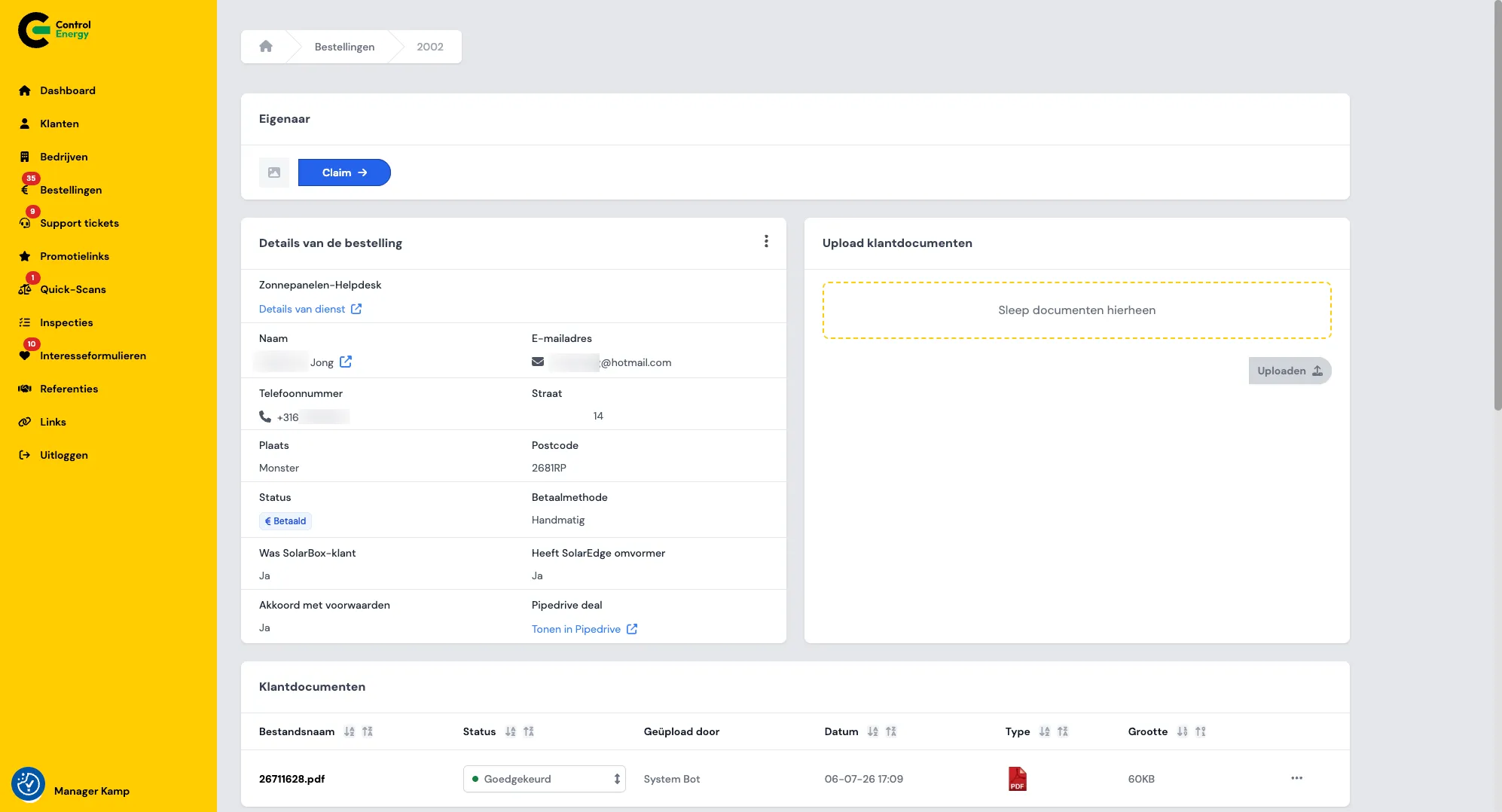
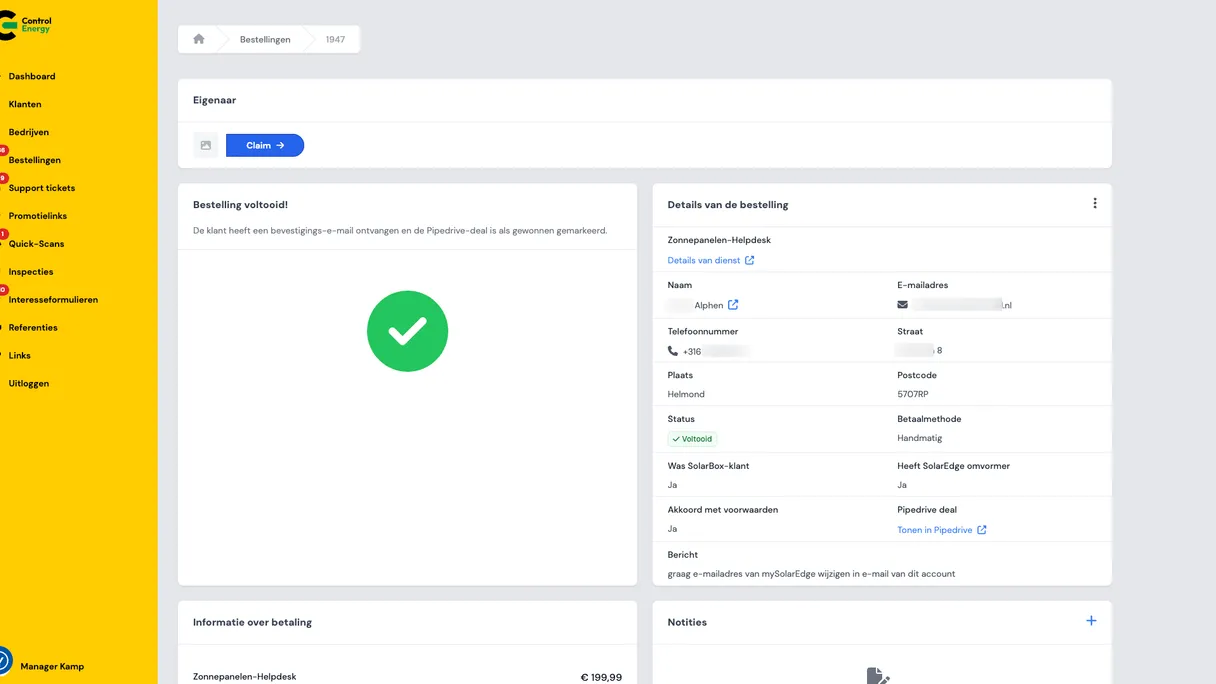
Admin page for a paid Solar Panel Helpdesk order with customer details, upload option for customer documents and approved attachments.
What is the Control Energy Portal?
The Control Energy Portal is the online customer and work environment of Control Energy (CEBV), an energy services company. Customers use the portal to buy services, make payments, upload documents and get support. The Control Energy team uses the same environment to manage orders, customers, forms and follow-up actions.
You can see it as a shared workspace. The customer sees the part needed to purchase and follow a service. The team sees the back end of the process, with all the actions needed to complete the service properly.
The portal supports, among other things:
- A shop with a checkout for one-off and recurring energy services.
- Payments via Stripe, including card payments and direct debit for renewals.
- Service requests after purchase, such as helpdesk, alert service, energy scan and general product requests.
- Self-service for customers, with orders, documents, active subscriptions and support tickets.
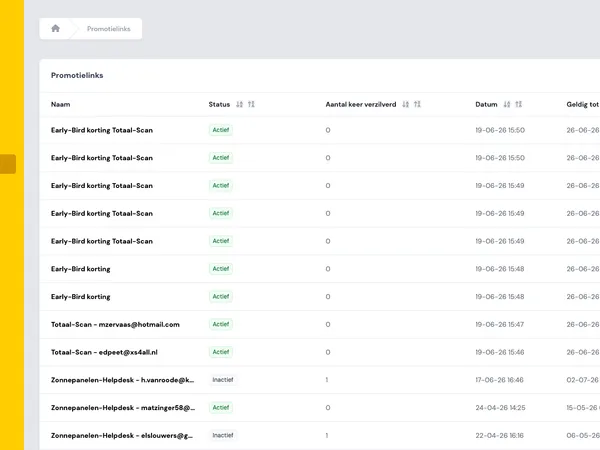
- Management for employees, including customers, companies, orders, forms and promotional links.
- Integration with Pipedrive for users, companies, orders and tickets.
The portal is available in Dutch and English. Dutch is the default language. Every user sees an environment that matches their role, for example as a customer, business account or employee.
The problem: paid, but no clear follow-up
With a service such as solar panel monitoring, the work does not stop at payment. After purchase, several things still need to happen. SolarEdge monitoring must be connected. Sometimes documents are required. Control Energy must check whether everything is correct before the service is truly active.
If that process mainly runs through email and phone calls, questions quickly arise.
- Has the customer already completed the SolarEdge form?
- Have all documents been received?
- Who set up the monitoring URL?
- Has someone told the customer what the next step is?
- Where is the latest version of the file?
For the customer, that feels uncertain. For the team, it takes time. Not because people are not doing their work well, but because the information is spread out. Part of it is in email. Part of it is in a payment system. Part of it is in a CRM. And somewhere, someone has to remember what is still open.
The Control Energy Portal replaces that fragmented follow-up with one central route. The order is not only proof of payment. The order becomes the place where the customer journey continues.
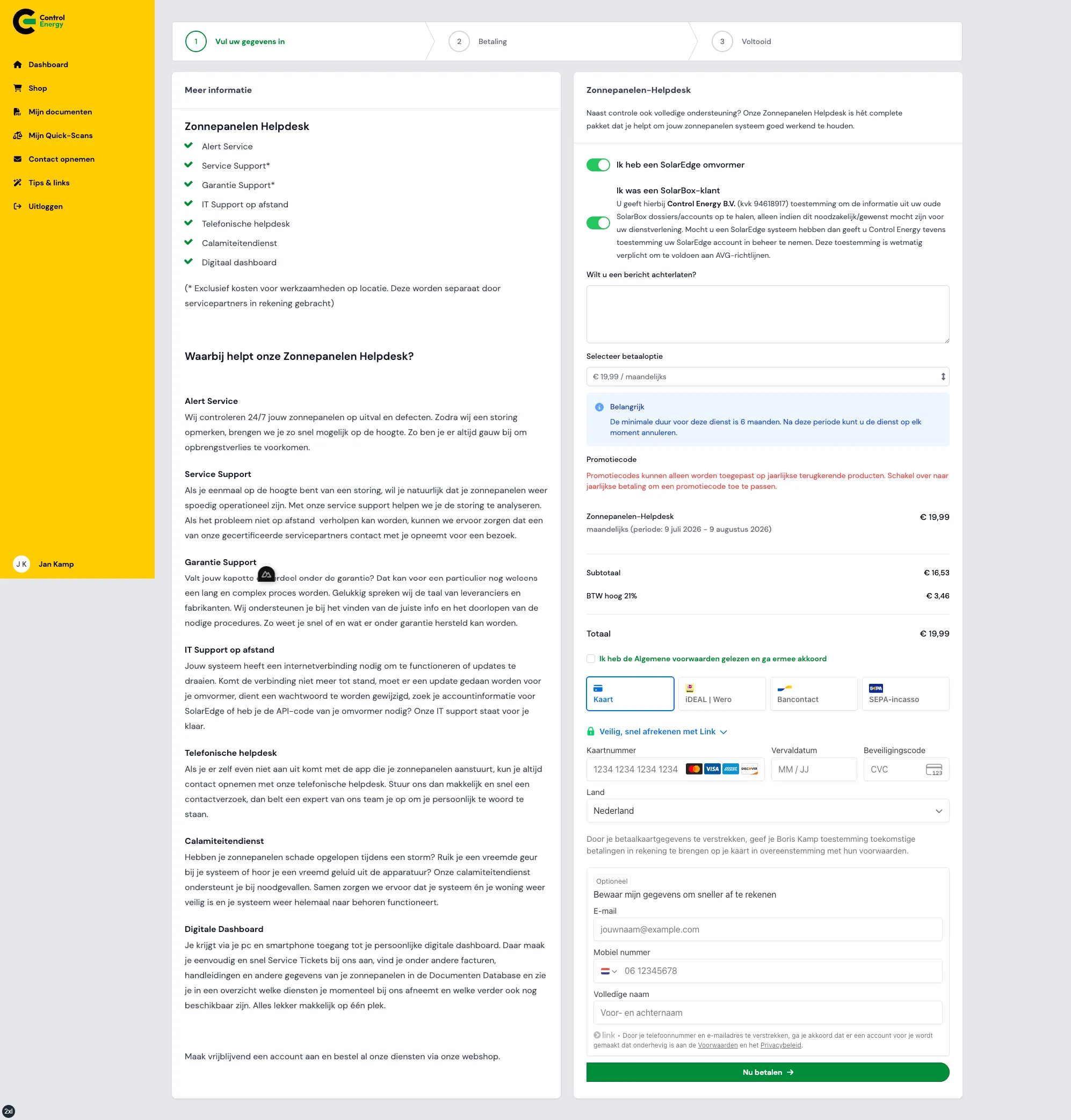
Customer completes the checkout for the Solar Panel Helpdesk with SolarEdge and SolarBox questions, subscription choice and payment via Stripe.
The Solar Panel Helpdesk: one order as the common thread
The Solar Panel Helpdesk is a recurring service for customers who want support with monitoring their solar panel system via SolarEdge. The customer buys the service in the portal shop. The system then automatically creates a helpdesk request linked to the same order.
That is the difference. The customer does not simply pay and then wait for separate follow-up. The purchase immediately starts a guided process.
The route broadly looks like this:
- The customer selects Solar Panel Helpdesk in the shop.
- The customer completes the checkout, including questions related to the service.
- The customer pays via Stripe.
- After successful payment, a helpdesk request is created automatically.
- The order shows which step is currently open, for example SolarEdge, documents or review.
- When everything is ready, the team completes the order.
- The customer receives a confirmation and sees the active service under My Services.
Also important: the portal prevents a customer from starting a second open helpdesk order while one is already in progress. This prevents duplicate processes from running side by side. That avoids confusion for both the customer and the team.
What happens immediately after payment?
In a traditional workflow, someone often still has to manually create a file after payment, copy data and inform colleagues. In the Control Energy Portal, that starts automatically as soon as Stripe confirms the payment.
At that moment, several things happen at the same time:
- The order receives the status paid.
- The helpdesk request is created with the details from the checkout.
- The customer receives an active or to-be-activated subscription relationship for the service.
- An invoice is created as a PDF.
- Confirmation emails are sent.
- The customer lands on a thank-you page.
For the customer, this feels logical. Payment has been made and the follow-up is visible. For Control Energy, it means no separate handover is needed to start the process. The order and the helpdesk request exist from the moment the payment is received.
This makes the process less dependent on memory, separate notes or an inbox. The order is the fixed place everyone returns to.
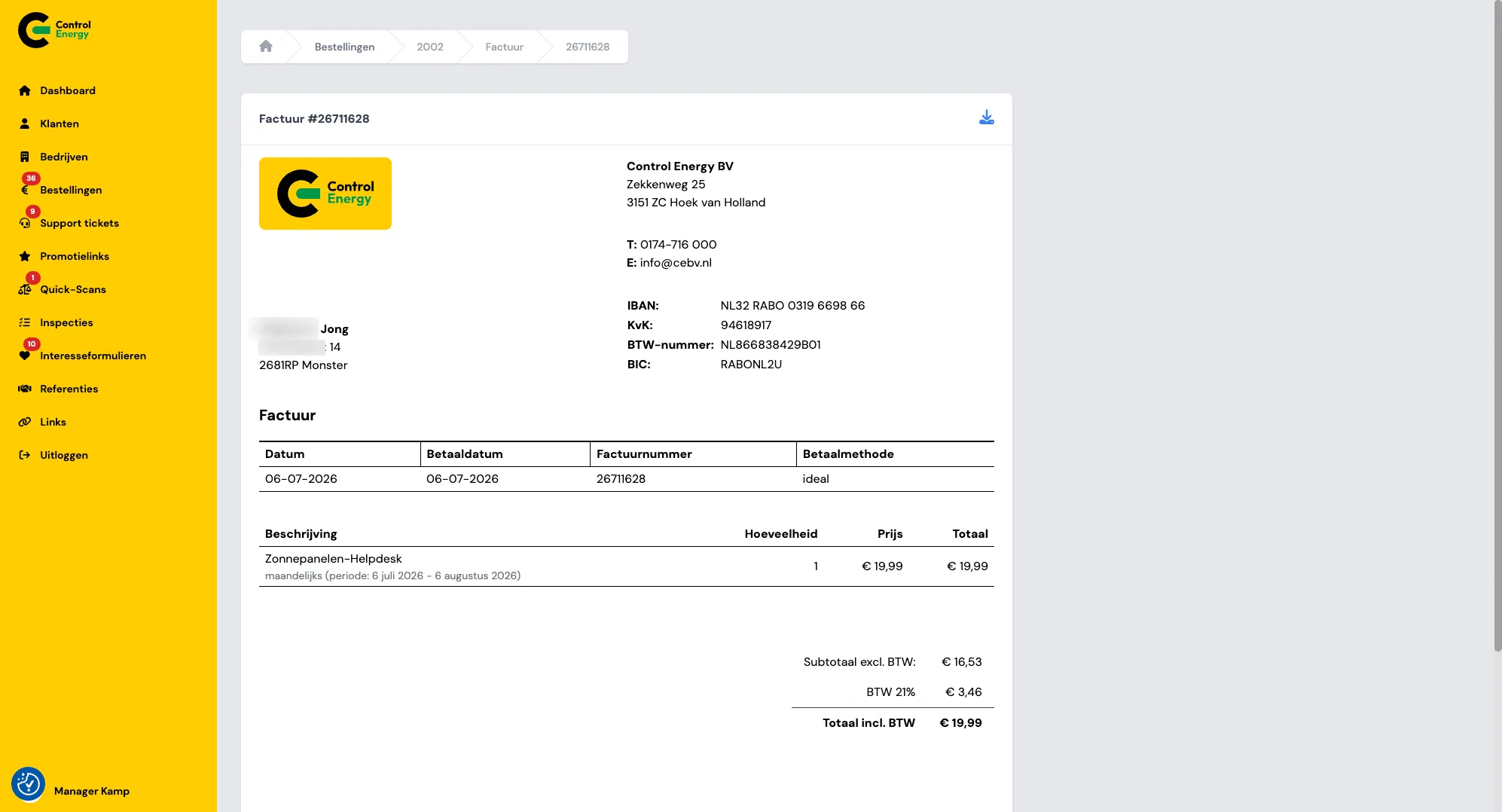
Automatically generated invoice for the Solar Panel Helpdesk, linked to the order and immediately downloadable for the customer and team.
From SolarEdge to documents: every step visible
The Solar Panel Helpdesk has several steps that are checked by the Control Energy team. Think of the connection with Solar Box Pipedrive, confirming that the SolarEdge form has been completed and recording the monitoring URL on the customer profile.
Every step is a deliberate action. The team does not have to note in a spreadsheet that something has probably happened. The portal shows which step has been taken and which step follows next.
Then the document phase often follows. On the order page, the customer sees a clear upload option. The files are also brought together centrally in My Documents. Once the customer has uploaded everything, they click a button to let Control Energy know that the upload is ready.
That may seem small, but it prevents a lot of noise. The customer does not have to send an email asking whether the files have arrived. The team receives a notification that the documents are ready for review.
If something is still missing, the team can mark the documents as incomplete. The customer then receives an email with a link to upload additional files. If everything is correct, the documents are approved and the order can be completed.
The main phases are easy to explain:
- Linked to Solar Box Pipedrive: the customer is correctly recorded in the CRM and the team can continue with SolarEdge.
- SolarEdge form submitted: the registration has been completed and the monitoring URL can be recorded.
- Waiting for documents: the customer needs to upload files.
- Documents under review: the customer has reported that the upload is ready and the team is checking the files.
- Documents incomplete: something is still missing and the customer is specifically asked to add it.
- Documents approved: the administration is in order and the service can be completed.
What does the customer see, what does the team see?
A good portal does not show everyone the same thing. A customer needs overview and clear action. An employee needs more detail to steer the process properly.
On the customer dashboard, this includes orders that require attention, active services under My Services, files under My Documents and support tickets once the helpdesk is active. During onboarding, the customer only sees what is relevant at that moment. For example, an upload field when documents are needed, or a confirmation when the files have been submitted for review.
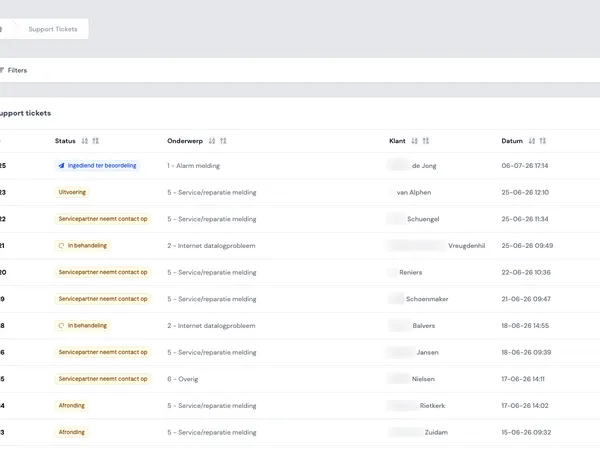
On the team side, the view is more extensive. On the admin page of an order, Control Energy sees the order details, payment information, the linked helpdesk request, the documents, messages, internal notes, invoices and the Pipedrive connection.
That difference is important too. The customer is not burdened with internal fields. The team does not miss any context. Both parties still work from the same order. As a result, less time is lost searching, forwarding and explaining again.
Notifications, messages and renewals without noise
The portal keeps everyone informed at the moments that matter. After payment, the customer receives a confirmation. When the customer prepares documents, the team receives a notification. If additional documents are needed, the customer receives a targeted email with a link back to the right place. When the helpdesk order is ready, the customer receives a completion email.
In addition, the customer and team can post messages on the order, including files. This keeps communication in the right context. A question about documents is not isolated in an inbox, but sits next to the order it relates to.
Because the Solar Panel Helpdesk is a recurring service, the portal also supports renewals. After the first successful payment, the service is active. The portal tracks the next payment date and creates renewal orders. Where possible, payment runs via stored direct debit. If manual payment is needed, the customer receives a payment option and sees the outstanding order on the dashboard.
Here too, the principle remains the same: do not wait until someone asks what is going on, but make visible what needs attention.
Why this type of portal is valuable
The Solar Panel Helpdesk shows what happens when you do not only make a customer process digital, but also truly structure it. It is not about putting a form online. It is about a complete route in which payment, onboarding, documents, CRM, communication, subscriptions and support connect logically.
For customers, that means peace of mind. After payment, it is clear what the next step is. Files are in one place. The active service can be found under My Services. For later questions, there is a support channel that connects to the existing customer relationship.
For the team, it means control. Open steps are visible. Duplicate helpdesk requests are prevented. Documents can be requested in a targeted way. Orders are only completed when an employee deliberately does so.
That last point is essential. The portal removes repetitive work and searching, but it does not remove the human from the process. Control Energy continues to decide when SolarEdge is set up correctly, documents are complete and the service is ready for completion.
The core is simple: one purchase becomes one shared path from checkout to active support. That is exactly where a good customer portal adds value. Not by creating more screens, but by making the work clear, traceable and executable for both customer and team.