Agreeing on a special price with a customer sounds simple. Until that agreement has to move through the rest of the process. Someone emails an amount, the customer looks for the right service, a payment follows and then the team has to check whether everything is correct.
That often works well, but it remains vulnerable. The customer may choose the wrong option. The amount may differ. Or an employee still has to correct the order, invoice and service manually afterwards.
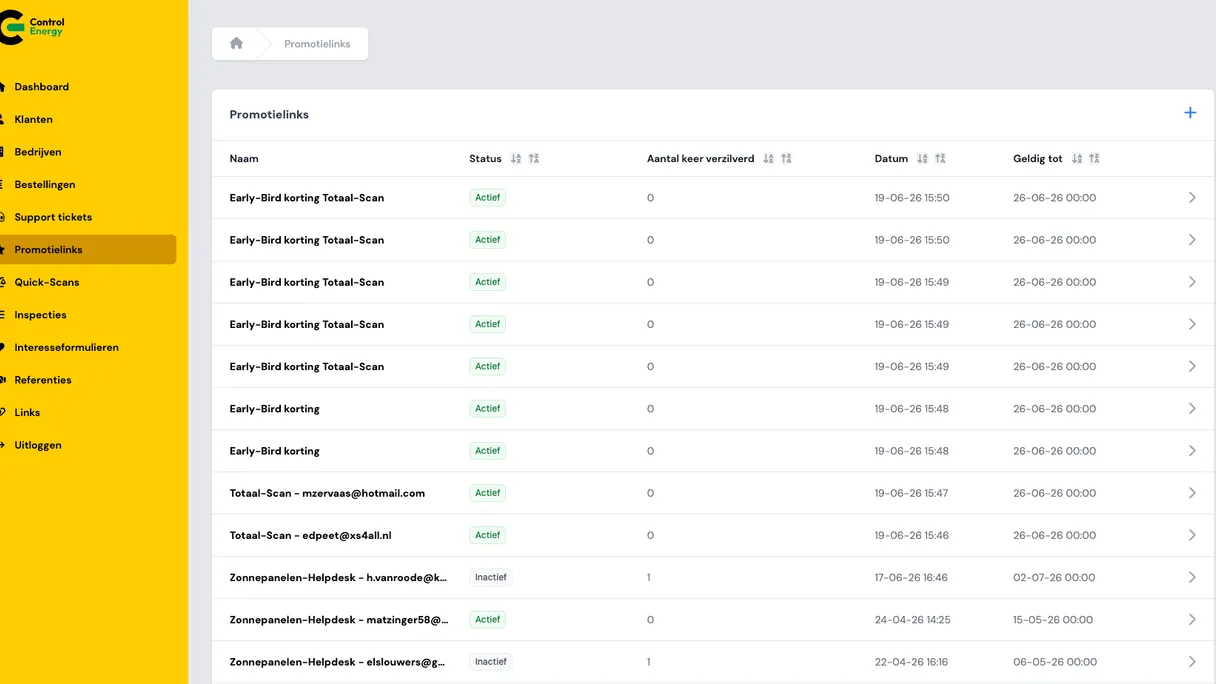
A practical solution has been built for this in the Control Energy Portal: promotion links. An employee prepares the right price once. The customer receives one personal link. After that, checkout handles the rest: the right service, the right amount, the payment, the invoice and the start of the service.
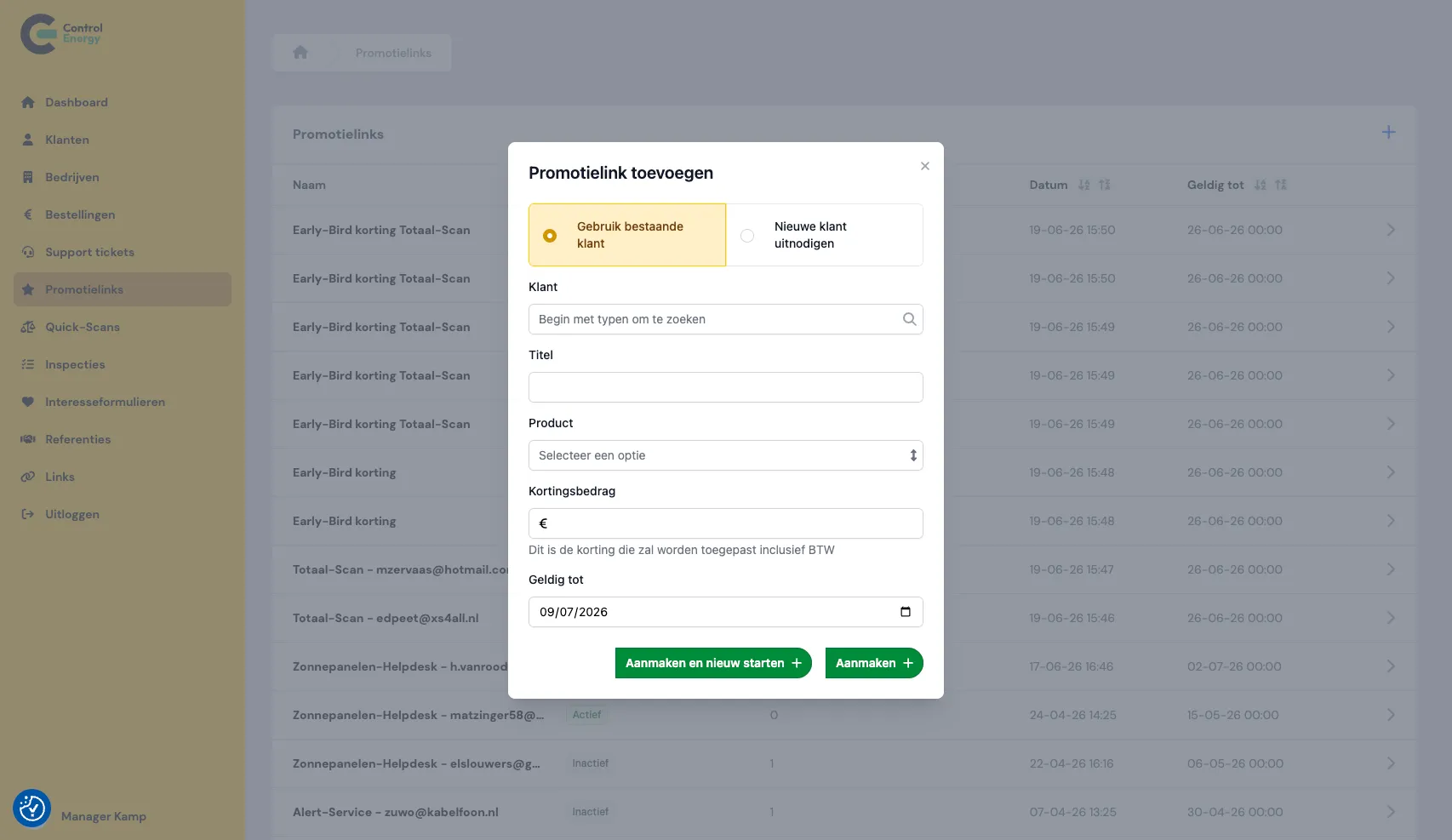
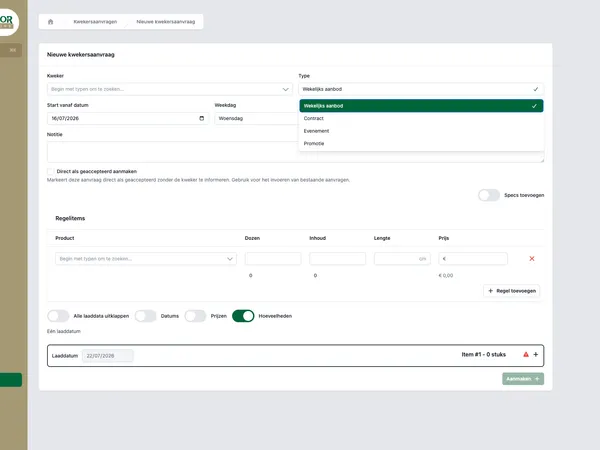
Adding a promotion link in the admin.
What is the Control Energy Portal?
The Control Energy Portal is the online customer and work environment for Control Energy, an organization in energy services. Customers can buy services, pay securely, upload documents, view orders and request support. On the back end, employees manage customers, companies, orders, forms, support requests and follow-up after purchase.
The portal is available in Dutch and English. For customers, it feels like one recognizable place to arrange matters. For the Control Energy team, it is a shared workspace where separate steps come together.
Key components include:
- a product shop with checkout for one-off and recurring services
- promotion links for personal prices
- service requests after purchase, such as helpdesk, alert service and energy scan
- customer self-service for documents, orders, subscriptions and support tickets
- management for employees, including customers, companies and orders
- integration with Pipedrive for users, companies, orders and tickets, among other things
In the case study about the Control Energy Portal, you can see how such a central environment helps reduce fragmented communication and manual follow-up.
Where promotion links make the difference
Not every customer always pays the standard price from the shop. Sometimes there is an introductory offer. Sometimes a partner agreement applies. Sometimes a correction is needed. And sometimes an employee negotiates with a customer about a suitable price for a specific service.
If such an agreement only exists in an email, the customer has to translate that agreement into action. Which service should I choose? What amount should I pay? Is it a one-off payment or a recurring service? For employees, this creates checking work at exactly the moment when the customer should simply be able to pay.
A promotion link makes the agreement concrete. The link belongs to a specific service, a specific price and, for subscriptions, a specific payment period. The agreed price therefore travels with the customer to checkout. The customer does not have to remember anything and the employee does not have to piece things together afterwards.
The core is simple: one agreed price, one personal link, one paid order.
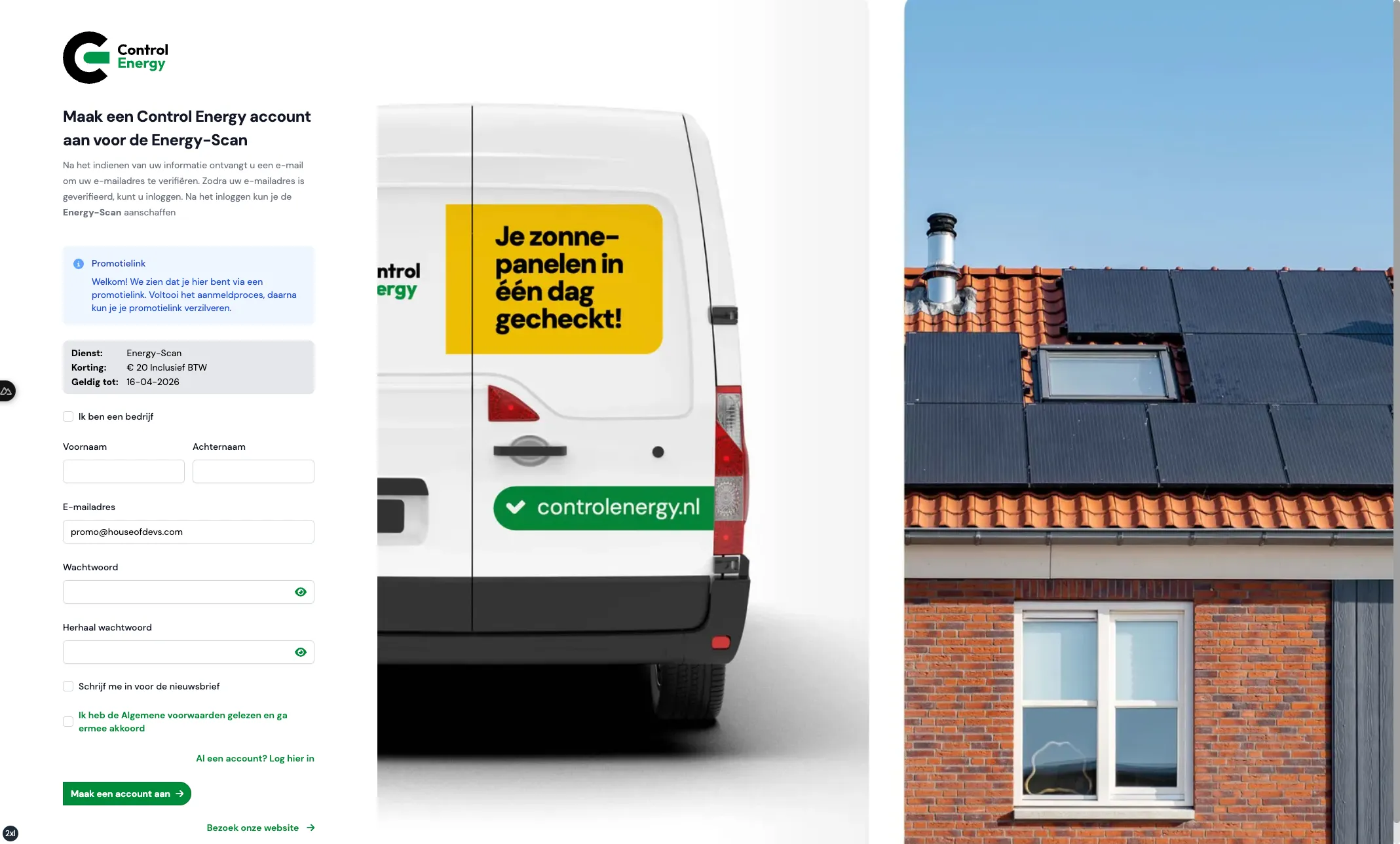
Creating an account through a promotion link for the Energy Scan.
How it works for employees
Promotion links are created and managed only by employees. This keeps control with the team that makes the price agreement. When creating a promotion link, the employee chooses exactly what should happen.
The employee sets, among other things:
- Title: an internal name so the team can recognize the agreement later.
- Product: the service the link applies to, such as helpdesk or energy scan.
- Custom price: the agreed amount in euros.
- Recurring option: the correct payment period for subscription products.
- Valid until: an end date after which the link can no longer be used.
- Target customer: an existing customer or a new customer who is invited by email.
There are two routes. For a new customer, the portal sends an invitation with the checkout link. The customer first creates an account and then uses the promotion link. For an existing customer, the employee can link the promotion link to the account. The customer receives a message that the personal price is ready.
An employee can preview the link and later set it to inactive if the agreement no longer applies. This prevents old offers from continuing to circulate.
How it feels for the customer
For the customer, the process remains clear. They receive a link by email or see the promotion link in their account. After opening it, the customer enters the normal checkout for the selected service.
There, the customer sees a clear message that a promotion link has been applied. The price in checkout is immediately the agreed price. The customer does not have to copy a discount amount, follow separate payment instructions or check whether the amount from an email matches the amount in the shop.
If the promotion link has expired, the portal shows a clear error message. The customer is therefore not silently switched back to a different price without explanation.
After payment, the flow continues as with a normal purchase. The order is created and marked as paid. The correct service request starts. An invoice is created and confirmation emails are sent. After that, the promotion link has been used and cannot be used again.
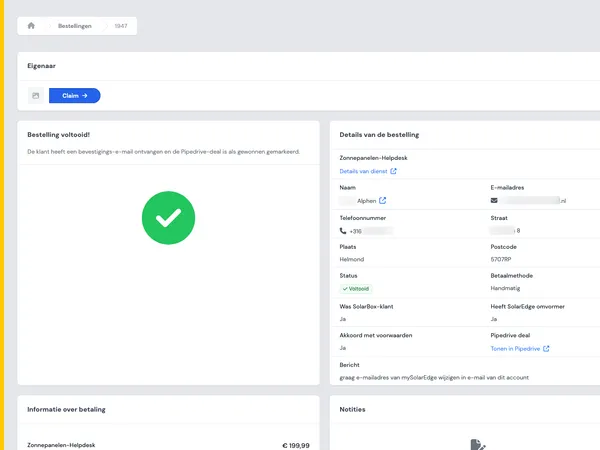
You can see the same principle in the Solar panel helpdesk in the Control Energy Portal: after payment, the customer should not end up in a separate follow-up process, but in a clear route toward execution.
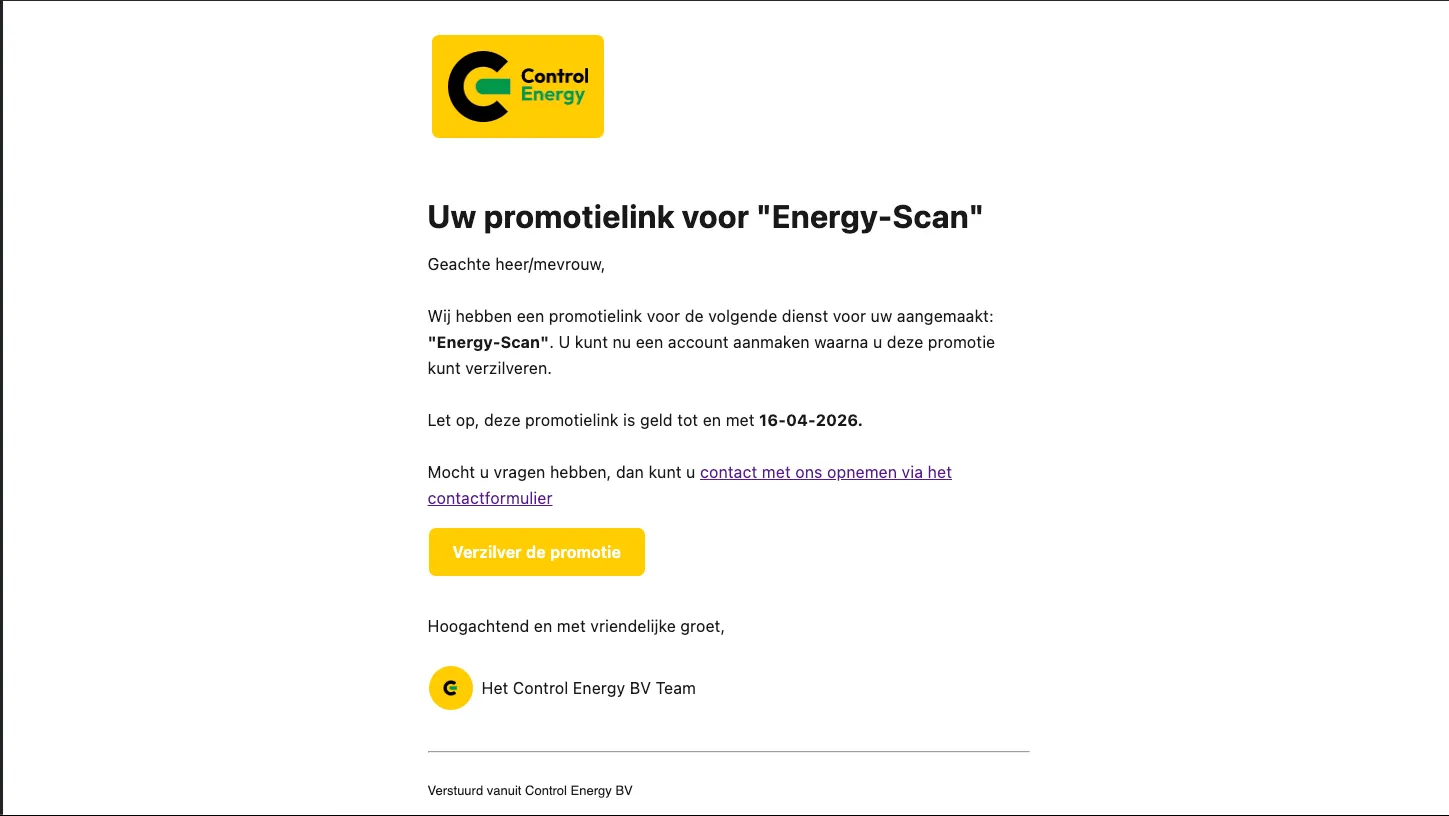
Invitation email with a promotion link for the Energy Scan.
Why this is better than agreements by email
An email is useful for explaining something, but it is not a good place to build a payment process. As soon as a price agreement depends on manual checking, there is room for misunderstandings.
Promotion links remove that uncertainty from the process. The price agreement is not only discussed, but recorded in the checkout route itself. As a result, several common problems disappear:
- The customer is less likely to choose the wrong product.
- The agreed amount is automatically shown in checkout.
- For subscriptions, the link only applies to the correct payment period.
- After a successful payment, the same link cannot be used again.
- The order, invoice and service request immediately match the payment.
That is convenient for customers, but especially for the team behind the portal. They need to make fewer follow-up calls, correct less and maintain less separate administration. The agreement is entered correctly once, after which the system takes over the route.
This is exactly where good self-service in a customer portal adds value: customers can continue on their own, while the internal team keeps control of the rules and exceptions.
Promotion links and discount codes are not the same
The Control Energy Portal also supports discount codes through Stripe. Still, promotion links and discount codes solve a different problem.
A promotion link is personal. It is intended for an agreed price for a specific customer and a specific service. The employee prepares the price and the customer only has to use the link.
A Stripe discount code is better suited to campaign-style discounts. For example, a code that a customer enters in checkout and that is checked according to the rules in Stripe.
In plain language:
- Promotion link: a personal agreement with a customer.
- Discount code: a general code that fits a promotion or campaign.
By not mixing the two, the process remains clear. Negotiated prices get a controlled route. Campaign discounts simply continue to run through the existing payment flow.
What other teams can learn from this
Promotion links are a specific feature in the Control Energy Portal, but the underlying idea is more broadly applicable. Many companies have processes in which an employee agrees something with a customer and then has to hope that execution runs properly through the system.
You see this with custom prices, service packages, partner agreements, manual corrections and recurring services. As long as those agreements remain in separate emails, notes or spreadsheets, someone always has to check whether execution is correct.
The better solution is to make the agreement part of the workflow. In this case, that means: the employee prepares the price, the customer receives one link, checkout processes the payment and the service starts automatically.
For organizations that want to automate their business processes, this is a recognizable pattern. Do not start with a large abstract system. Start with a recurring moment where people still email, check and fix things. Make that moment reliable, clear and repeatable.
From agreement to execution without a detour
The strength of promotion links is not in a complicated button. The strength lies in removing doubt.
Employees no longer have to explain a custom price with separate payment instructions. Customers do not have to guess which option to choose. And administration does not have to repair afterwards what went wrong during checkout.
The agreement is recorded correctly once. The customer receives one clear link. Checkout applies the right price, processes the payment, creates the order and invoice and starts the service.
That is how customization in a customer process should feel: personal for the customer, manageable for the team and tightly connected to execution.