Many operational teams start practically. A paper form. An Excel file for planning. A folder with product information. A separate list for orders. That works as long as volume is low and everyone knows exactly where the latest version is stored.
But as soon as orders come in faster, product information changes more often or multiple roles work on the same process at the same time, friction appears. Information becomes fragmented. Statuses are unclear. Checking takes more time than the work itself.
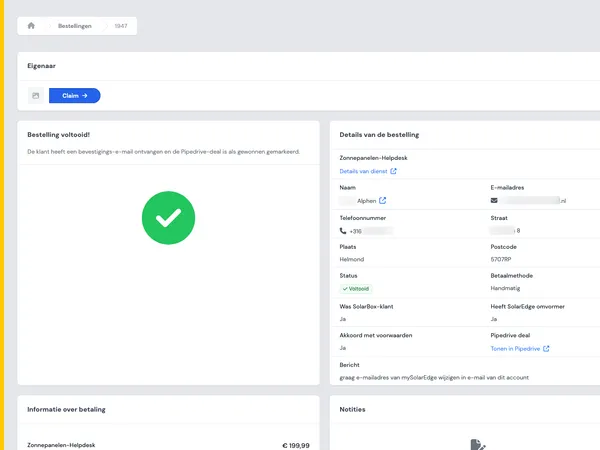
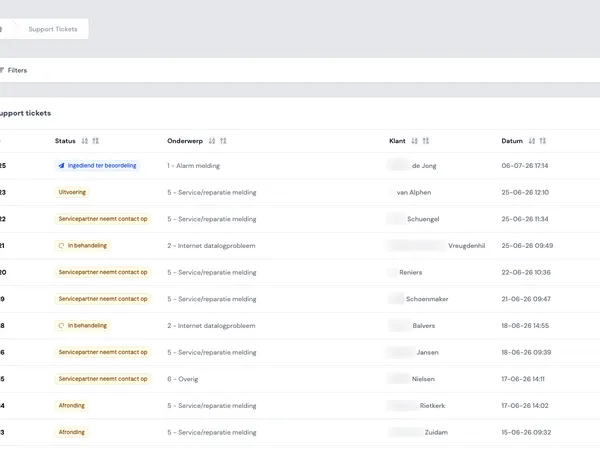
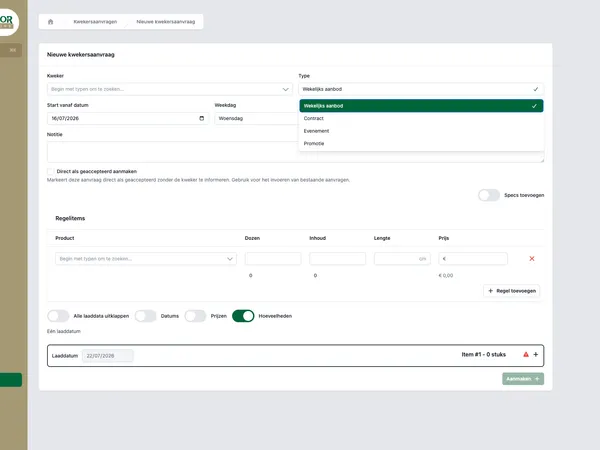
An order platform does not solve this by simply rebuilding Excel in a browser. The real gain is in a better process: central data, clear roles, real-time insight and less manual handover. In the Equaflor Carnations case, you can see how such a shift takes shape in practice, including real-time orders, product information, roles and permissions and multiple modules. In this article, we translate those lessons into an approach that is more broadly applicable.

Paper documents and notes used to map an existing operational process.
Why paper and Excel become vulnerable
Excel is not the problem. Neither is paper. Both are often the fastest way to get a process started. The vulnerability arises when they become the central backbone of your operation.
Typical signs include:
- Multiple versions of the same file circulate at the same time.
- Employees manually check whether an order is complete.
- Statuses are requested by email, chat or phone calls.
- Product information is spread across spreadsheets, documents and inboxes.
- Only a few people know how the process really works.
- Errors only become visible late, for example during delivery, invoicing or planning.
At that point, digitalization is no longer a luxury project. It becomes a way to keep daily operations manageable. Especially in order flows where stock, product information, customer agreements and planning come together.
Step 1: map the real process
A good order platform does not start with technology. It starts with the question: what really happens now, from request to completion?
Walk through the process step by step with the people who work with it every day. Not only with management or IT. Operators, planners, sales employees and administrative roles in particular know the exceptions that are not shown in any process diagram.
Record for each step:
- What information is entered?
- Who uses that information afterwards?
- Where do waiting times or duplicate work occur?
- Which checks are performed manually?
- Which exceptions come up often?
- Which decisions depend on current data?
This prevents you from only digitalizing an existing spreadsheet process. The goal is not to transfer every tab one-to-one. The goal is to determine which information should be central and which actions can be made smarter.
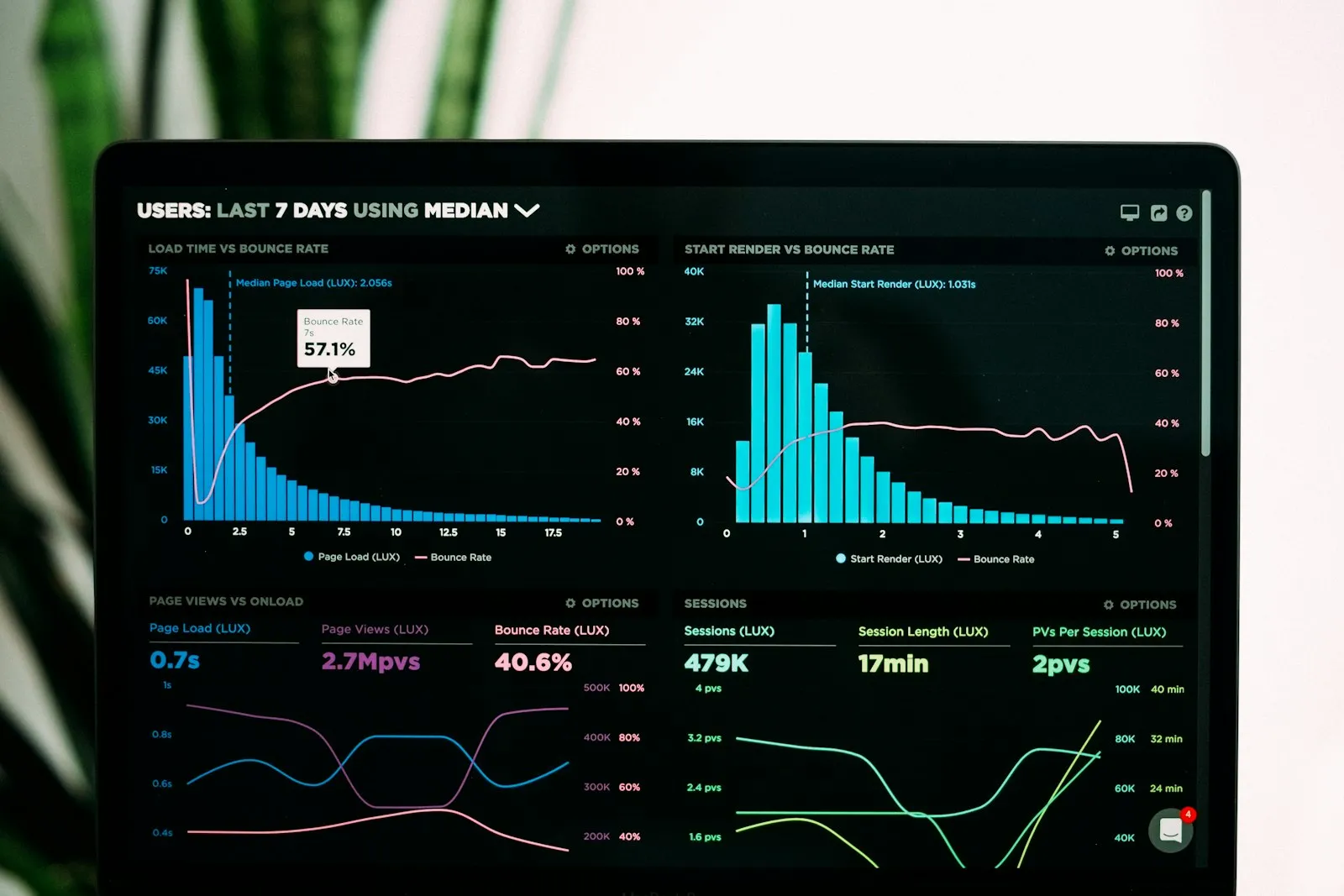
A dashboard showing clear data visualizations for better control over orders and processes.
Step 2: make central data the leading principle
The biggest step from Excel to an order platform is often not visual, but conceptual. Data gets a fixed place. An order, product, customer, status or planning element no longer exists in five files, but as one reliable source.
That makes several things possible:
- Everyone looks at the same current information.
- Changes are immediately visible to the right roles.
- Validation can already take place during input.
- Reports are based on operational data, not on exports combined afterwards.
- History and status transitions are easier to track.
This principle also appears when replacing separate spreadsheets with a real-time dashboard. A dashboard is only reliable if the underlying data is reliable. The same applies to an order platform.
That is why data modeling is an important part of preparation. Which fields are required? Which statuses exist? Which information belongs to an order and which to a product? Which relationships are needed between customers, products, deliveries and users?
Step 3: design roles and permissions early
In a paper process or shared Excel file, access control is often implicit. Whoever has the file can do a lot. In an order platform, you want to set this up more deliberately.
Not everyone needs to see or change everything. A planner has different tasks than someone in sales. An administrator must be able to adjust settings, while an operational user mainly needs to process orders quickly and without errors.
Roles and permissions help for three reasons:
- Security: sensitive information is only accessible to those who need it.
- Calm in the interface: users mainly see the actions and information that belong to their work.
- Process control: critical steps can be limited to specific roles.
A good setup prevents the platform from becoming unnecessarily complex. If you want more depth, you can read more about RBAC, roles and permissions in custom web applications.

A team discusses a digital workflow in which tasks and responsibilities are clearly divided.
Step 4: build around daily planning and control
An order platform must fit the rhythm of the operation. That means you do not only look at registration, but also at planning, control and follow-up.
For many teams, these are the screens where the difference is made:
- An up-to-date order overview with status per order.
- A planning overview for the day or week.
- Product information that is directly linked to the order.
- Signals for missing or illogical input.
- Overviews for control, approval or quality checks.
- Filters by role, customer, product group, date or status.
In sectors such as trade, production and logistics, digitalization is often about speed and reliability. Not every employee wants extensive reports. Many users mainly want to know: what do I need to do now, what has already been completed and where is there a risk?
That is why ease of use is not a layer added at the end. It belongs in the design of the process. A good platform reduces the amount of thinking needed during busy moments.
Step 5: migrate Excel with care
When moving to an order platform, historical data almost always comes along. Think of customers, products, price lists, orders, suppliers or item information. The temptation to import everything is strong. That is rarely wise.
Start with three questions:
- Which data is needed to work live?
- Which data only needs to remain consultable?
- Which data is polluted, duplicated or outdated?
A migration is a good moment to clean up. Duplicate product names, missing fields and old statuses that nobody uses anymore become even more visible in a new platform. If you bring them along without checking, you build uncertainty in from day one.
In practice, a phased approach often works best. First test a limited dataset. Then tighten validation rules. After that, prepare the real import and check it with users who know the data.
Step 6: go live in phases
Not every process has to move over at once. In fact, a phased go-live often gives you more control. You can start with the part that delivers the most value or causes the most pain.
A logical sequence could be:
- Start with central product and customer data.
- Add order entry and status management.
- Expand with planning and quality control.
- Add dashboards and reports once the operational data is reliable.
- Automate integrations after the core works stably.
This prevents the project from becoming too large and abstract. Users see results sooner and feedback can be processed before the next modules go live. In the Equaflor case, you can see that a platform can consist of multiple modules, but the strength lies in the connection between those modules.
If you are working on broader process digitalization, it also helps to look at the approach for automating business processes. That is less about one screen and more about connecting steps, data and responsibilities.

A team discusses the plan for a phased rollout of a digital platform.
Common mistakes during the transition
The move from paper and Excel to an order platform goes wrong when technology tries to save the process without understanding the process. Pay particular attention to these pitfalls:
- Wanting to build everything at once. This makes the first version too large and feedback takes too long.
- Copying Excel literally. Then you bring old limitations into a new system.
- Testing with users too late. Operational details only surface when changes are more expensive.
- Not assigning an owner for data. Without data responsibility, the platform slowly becomes polluted again.
- Adding roles and permissions afterwards. This often leads to complicated corrections in screens and processes.
- Ignoring exceptions. Exceptions in particular determine whether a platform is usable in practice.
A good order platform does not have to automate everything. Above all, it must make the right information available at the right time, with as little manual repair work as possible.
When does custom software make sense?
Standard software can work well if your process closely resembles that of other organizations. Custom software becomes interesting when your differentiation lies in the way orders, products, planning, checks or roles come together.
Signs that custom software is worth exploring:
- You use multiple spreadsheets to keep one process running.
- Standard software repeatedly does not quite cover the right workflow.
- You have specific roles, approvals or exceptions.
- Product information changes often and must immediately flow through into orders.
- You want to be able to expand modules step by step.
- You need integrations with existing systems.
House of Devs builds custom web applications that support operational processes. That always starts with understanding practice: which steps are critical, where do errors occur and which information must be available in real time?
If you want to see what this looks like in previous work, view our work. If you want to discuss a process that still runs on paper, Excel or separate tools, you can get in touch.