A custom web application only becomes truly useful when the right people can do the right things. No more, no less. That sounds simple, but in practice roles and permissions can quickly become mixed up.
A planner needs to be able to change orders, but not adjust system settings. A customer needs to see their own data, but never that of another customer. An administrator needs more freedom, but you still want to keep control there too.
That is why role-based access control, often abbreviated as RBAC, is an important design topic in custom software. Not as a separate security layer added afterwards, but as part of how processes, screens and data are structured.

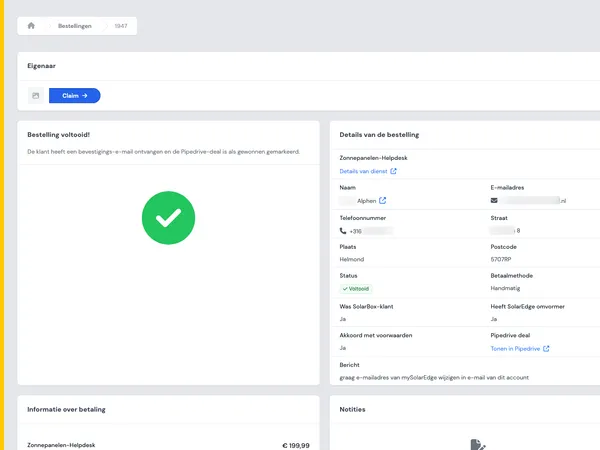
A laptop with application screens, a visual reference to roles and workflows in custom software.
What is RBAC in a web application?
RBAC stands for role-based access control. The principle is simple: users do not receive individual permissions per person, but permissions through a role. This lets you manage access based on function, responsibility or context.
A role could be, for example:
- Customer: can view their own requests, documents or orders.
- Employee: can process data within a defined process.
- Planner: can assign tasks, update statuses and manage capacity.
- Admin: can manage users and adjust settings.
- External partner: can only see information needed for collaboration.
The goal is not to create as many roles as possible. The goal is clarity. A good role model makes it clear who has access to which data, which actions someone may perform and where approval or control is needed.
Why roles and permissions often get attention too late
In many web applications, the conversation starts with features: dashboards, forms, integrations, reports and notifications. Roles and permissions are only discussed when the first users are added. That is late.
By then, screens and workflows have often already been designed around a general user. Exceptions then need to be added afterwards. One user may see a button, another may not. One department may edit data, another may only view it. A customer may see one case file, an administrator all case files.
If this is not considered early, risks arise:
- Users receive access that is too broad because it seems faster.
- Many person-specific exceptions appear.
- Teams lose sight of who is allowed to do what.
- New roles become difficult to add without custom work on top of custom work.
- Management becomes dependent on developers instead of functional administrators.
In our approach to custom software, we therefore include these kinds of process questions early. Not only technically, but also organizationally: who uses the system, what decisions do they make and what information do they really need for that?

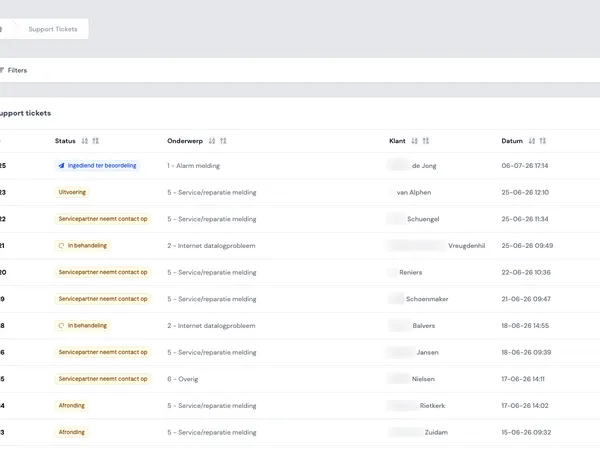
A dashboard with data visualizations, illustrating controlled access to information in web applications.
Practical examples: different roles, different interests
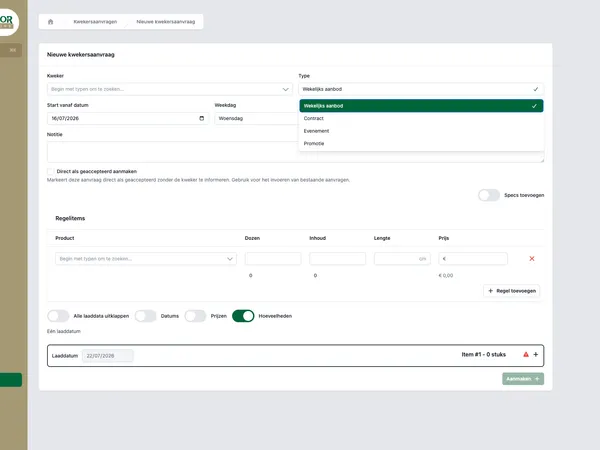
RBAC becomes concrete when you look at real applications. In Equaflor, role-based access control explicitly plays a role. There, it is important that users have access to the parts that match their responsibility.
At Todays Logistics, multiple groups come together in one portal, including agents, warehouse teams, planners and admins. Those groups work in the same process, but not with the same permissions. A planner needs different actions than a warehouse team. An admin has different management options again.
Customer portals also require a sharp role model. In Control Energy, there are customer and administrator environments. That requires a clear separation between what customers can do themselves and what is managed internally.
At Ciekeboe, internal and external users come together. Especially then, it is important that access is not only technically correct, but also feels logical to the user. An external user should not get lost in internal features. An internal user should be able to work efficiently without constantly asking for permissions.
You can find more examples of these kinds of digital products in our work.
Start small: design the core roles first
A common mistake is that teams immediately try to capture every scenario in a role. This leads to roles like senior planner north, temporary back-office employee or external partner with limited export permissions. Sometimes those nuances are needed, but rarely from day one.
It is better to start with the core roles. Ask three questions for each role:
- What information must this role be able to see?
- What actions must this role be able to perform?
- What actions must explicitly not be possible?
After that, you can group permissions. For example read, create, edit, delete, approve, export or manage. This prevents every new user from receiving a separate package of exceptions.
A practical starting point is a permissions matrix. Put roles horizontally, features or data types vertically and determine what is allowed at each intersection. Not to create a thick document, but to make decisions visible before development starts.
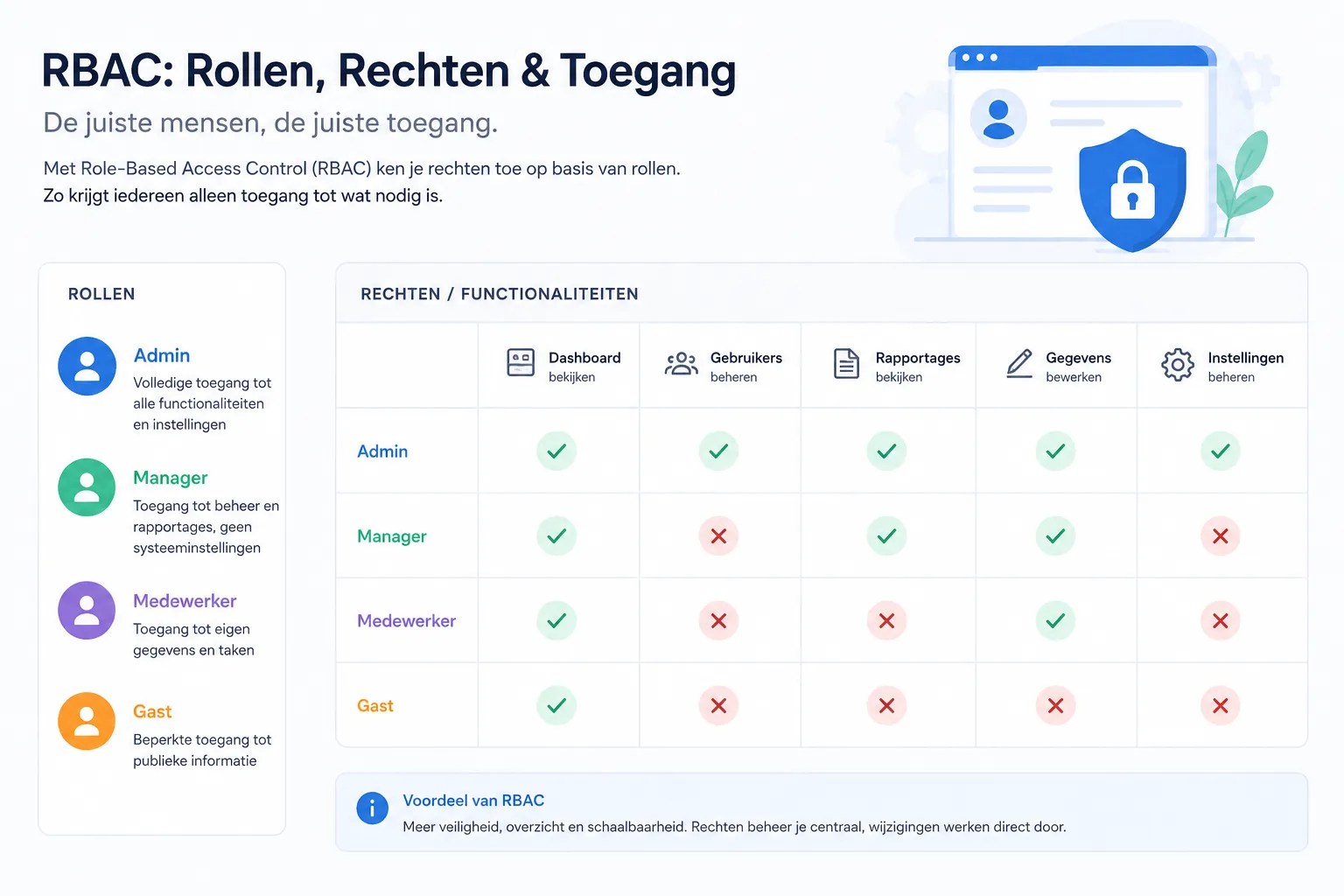
A permissions matrix for custom software.
Common mistakes with roles and permissions
A role model does not have to be complicated to go wrong. These are mistakes we often want to prevent in custom web applications.
1. Solving everything with admin rights
Admin rights are useful during development and management, but dangerous if they become the default solution for every blockage. If many users need to be admins to do their work, the role model is probably not right.
2. Managing permissions per person
Individual exceptions seem flexible, but quickly become uncontrollable. As soon as someone changes role or leaves the company, it is no longer clear which permissions are still correct. Roles create repeatability.
3. Only shielding screens
Access goes beyond what someone sees in the menu. API actions, exports, documents, attachments and data integrations also need to take permissions into account. A hidden button is not a complete access model.
4. No owner for management
Roles and permissions need management. Who may add a new user? Who decides whether someone becomes a planner? Who periodically checks whether permissions still fit? Without an owner, the model becomes outdated.
5. Confusing roles with job titles
A job title is not always the same as an application role. Two employees with the same title may work in different processes. Therefore, design roles based on tasks and access, not only based on organizational charts.
How do you keep RBAC manageable as the application grows?
A web application changes. New customers, teams, processes and integrations are added. A good RBAC model can grow with it without every change becoming a technical rebuild.
A few design choices help with this:
- Work with clear default roles. New users first receive a normal role, and exceptions are consciously chosen.
- Define permissions around feature clusters. Think of managing orders, managing customers or viewing reports.
- Make management understandable. Functional administrators must be able to assign roles without code or database knowledge.
- Prevent role sprawl. Do not immediately add a new role for every exception.
- Review permissions periodically. Especially for customer portals, external users and sensitive business data.
Technically, RBAC can be set up in different ways. Sometimes a simple role model is enough. In other situations, extra conditions are needed, such as access per customer, branch, project or case file. In that case, you combine roles with context rules.
When do you need audit logs?
RBAC determines what someone is allowed to do. Audit logs show what actually happened. These are two different components that reinforce each other.
Audit logs are especially useful when actions affect data, money, planning, customer agreements or compliance. Think of:
- Who changed a customer record?
- Who changed an order status?
- Who downloaded or deleted a document?
- Who gave a new user admin rights?
- When was a setting changed?
Not every click needs to be logged. Too much logging makes the system unclear and can actually make management harder. Therefore, consciously choose which events are important. Start with actions you may want to explain later.

Server hardware illustrating logging, access control and oversight in web applications.
RBAC for customer portals and internal applications
Access management is often extra sensitive in customer portals. A customer may only see their own information. An internal employee must be able to support customers. An administrator must be able to adjust settings. And sometimes external partners also work in the same process.
That requires more than a simple customer or admin role. You often also need data separation. For example, access per organization, customer number, project or contract. The role then determines what someone may do, while the context determines which data that applies to.
Something similar applies to internal applications. A team lead may be allowed to see reports for their own team, but not for other departments. A planner may distribute work, but not adjust financial settings. By modelling this early, the application remains logical and safe to use.
Checklist: how to set up roles and permissions practically
Do you want to implement RBAC properly in a custom web application? Use this checklist as a starting point.
- Describe the most important user groups.
- Link roles to tasks, not only to job titles.
- Determine which data is visible for each role.
- Determine which actions are allowed for each role.
- Make exceptions explicit and temporary where possible.
- Design management for functional administrators.
- Add audit logs for actions that need to be explainable later.
- Test permissions with real scenarios, not only with technical accounts.
- Plan periodic reviews of active users and roles.
A good role model feels natural to end users. They see what they need, can do their work and are not distracted by features that are not intended for them.
Roles and permissions are product design, not an afterthought
RBAC is not only a technical choice. It affects process design, user experience, management and trust. Especially in custom web applications, customer portals and internal tools, it is wise to design roles and permissions from the start.
The best solution is usually not the most extensive one. It is the solution that is clear for users, remains manageable for the team and fits the way the company works.
Do you want to build a web application in which access, workflow and management are well structured from the start? Then see how we work, view relevant cases or contact us directly.