In logistics, a lot of time is lost before the real work even starts. A container arrives, but the information is spread across emails, PDFs, phone calls and loose notes. A warehouse team searches for the right shipment. A planner lacks the current status. An admin has to reconstruct afterwards what happened.
You don’t solve that problem with just a new screen. You need a digital workflow that fits the operation: recording information in advance, scanning physical actions, registering exceptions immediately and linking evidence to the right shipment.
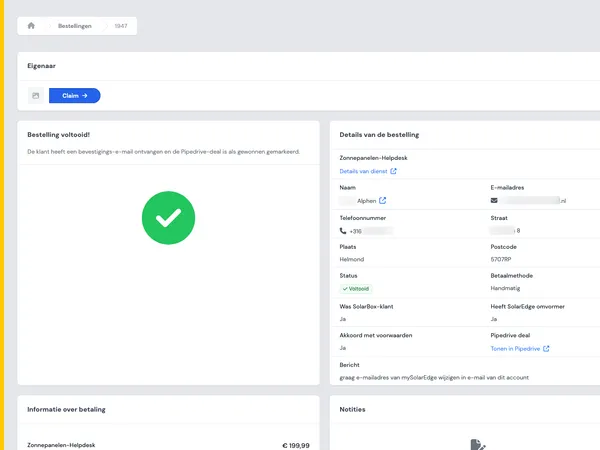
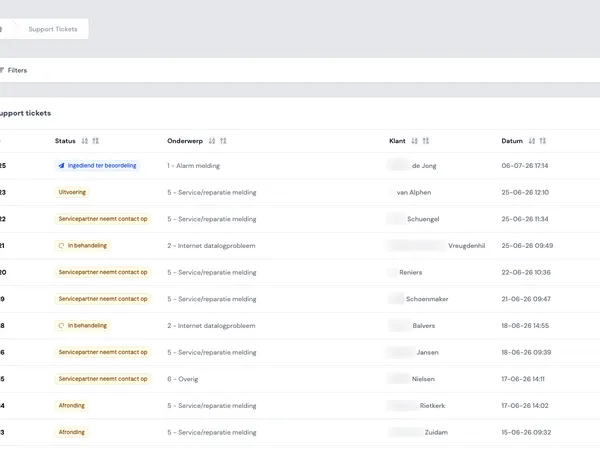
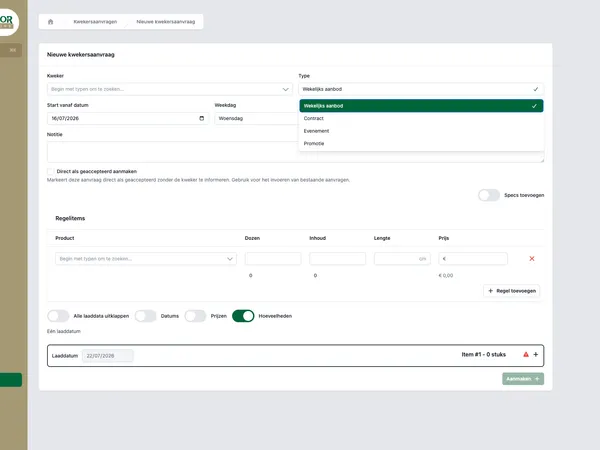
In this article we look at the building blocks of such a workflow. We use the public Todays Logistics Portal as a practical point of reference, without copying the solution one-to-one. The lessons apply more broadly to teams with a lot of manual coordination between agents, warehouse, planning and administration.
Why logistics processes get stuck on manual coordination
Many logistics teams work with systems that each cover part of the process. That in itself is not strange. The problem arises when the handover between those systems and teams stays manual.
Typical signs:
- Agents send shipment information by email, while the warehouse has to copy that information again.
- Container or shipment details are only complete when the cargo is already on site.
- Exceptions are noted, but not always linked to the right container, shipment or customer.
- Photos sit on phones, in chats or in loose folders.
- Planners base decisions on status updates that lag behind what is happening on the floor.
The core issue is that process information isn’t available at the same moment as the physical action. That creates searching. And searching is expensive, because it happens exactly when speed and clarity are needed.
Pre-registration: recording information before the shipment arrives
Pre-registration means that relevant container or shipment information is recorded digitally before arrival. Think of basic data, expected contents, references, customer information and instructions for further handling.
The goal is not to create more administration. The goal is that the warehouse doesn’t have to guess what is coming in.
Useful pre-registration usually has three properties:
- The right input from the right role. An agent can add information in advance, while warehouse teams only see what they need for receipt and handling.
- Validation on critical fields. Missing or conflicting information must become visible before the container is on the floor.
- A status that moves along. Pre-registration is not a static form, but the starting point of the rest of the workflow.
This matches how modern self-service portals work. Not everyone has to use the same back office. A good portal gives external and internal roles controlled access to exactly the part of the process they influence. Read more about that approach in our blog on building a self-service customer portal.
Parcels and logistics handling as an image for scanning, registration and status updates.
Scanning on the floor: linking the digital status to the physical action
Scanning is only valuable if it does more than register a code. The moment of scanning must mean something in the process. For example: received, inspected, moved, staged or handed over.
That is why you don’t start with the scanner, but with the process map. Where does responsibility change hands? Where do errors occur? Where does a planner or admin need real-time status?
A practical setup consists of fixed scanning moments:
- Receipt of the container or shipment.
- Inspection of contents or quantities.
- Registration of exceptions.
- Assignment to a location, bay or floor layout.
- Release for transport planning or further handling.
By linking every scanning moment to a status, you create a shared picture of the operation. The warehouse needs to make fewer calls. Planning sees sooner what is available. Administration can look up who did what and when.
Exception tracking: making exceptions visible instead of hidden
No logistics process always goes according to plan. An item is missing, a load is damaged, a reference doesn’t match or the actual contents differ from what was expected. The difference between chaos and control lies in how quickly such an exception becomes visible.
A digital workflow shouldn’t bury exceptions in free text. Record what is different, what it belongs to and which action is needed.
Good exception registration contains at least:
- a link to the container, shipment or order;
- the type of exception, for example damage, a missing item or an incorrect registration;
- the follow-up status;
- the responsible role or team;
- evidence, such as photos or comments.
That way an exception isn’t a stand-alone report, but part of the workflow. That helps with operational follow-up and with conversations with customers, agents or transport partners.
A warehouse employee with goods as an image for registering exceptions in logistics processes.
Photo logs: evidence where the process takes place
Photos are often crucial in logistics. They show damage, loading, packaging, location or progress. But a photo is only useful if it is clear later what it belongs to.
A photo log links images directly to the right shipment, container, exception or process step. That prevents loose WhatsApp photos, unclear file names and discussions afterwards.
With a photo log, pay attention to three things:
- Context. The photo belongs to a specific registration, not to a general folder.
- Timeline. It must be clear when the photo was added and by which role.
- Access. Not every user needs to see or edit every photo.
That last point in particular calls for clear roles and permissions. In custom software you prevent many management problems by designing authorization early. In our blog RBAC without chaos we explain how to keep roles and permissions manageable.
Separating roles: agent, warehouse, planner and admin don’t need the same screen
A common mistake is to build one big system in which everyone can see everything. That seems efficient, but often creates noise. Logistics processes work better when every role has its own task-focused entry point.
A logical division of roles could look like this:
- Agent. Registers shipment information in advance and fills in missing data.
- Warehouse team. Receives, scans, inspects, registers exceptions and adds photos.
- Planner. Sees availability, status, floor layout and input for transport planning.
- Admin. Checks data, handles exceptions and monitors completeness.
This separation doesn’t make the system more complicated. It actually makes it calmer. Users see less, but do what is needed faster. At the same time, the process as a whole stays traceable.

A team discusses digital process information as an image for collaboration between roles in logistics software.
From workflow to custom software: start with the process, not with features
Anyone who wants to digitize a logistics process quickly ends up with a feature list. Pre-registration, scanning, photo logs, dashboards, exports, roles, notifications. That list is useful, but it is not the starting point.
The starting point is the process chain:
- Which information is needed before the shipment arrives?
- Which physical actions must be confirmed digitally?
- Where do exceptions occur and who must respond to them?
- Which evidence is needed for customers, partners or internal control?
- Which roles need access to which information?
Only then do you design the screens, permissions and integrations. That way you prevent software from becoming a digital copy of existing chaos.
At House of Devs we build portals and operational web applications like these from the workflow. The Todays Logistics Portal shows how such process logic can land in a practical solution for the operation. See the example in our work for Todays Logistics or discover more projects in our work.
When does custom software make sense?
Not every logistics team needs custom software. If a standard package supports your process well, that is often the shortest route. Custom software becomes interesting when your operation differs from the standard and that difference costs time every day.
Signs that custom software is worth investigating:
- Teams structurally work alongside the system in Excel, email or chat.
- External parties have to supply information, but don’t have suitable access.
- Warehouse, planning and administration use different statuses.
- Exceptions and photos are hard to find afterwards.
- The physical workflow on the floor doesn’t fit the existing system well.
Recognize several of these points? Then it is wise to sharpen the process first and only then talk about technology. Want to discuss a logistics portal or workflow software for your team? Then get in touch with House of Devs.