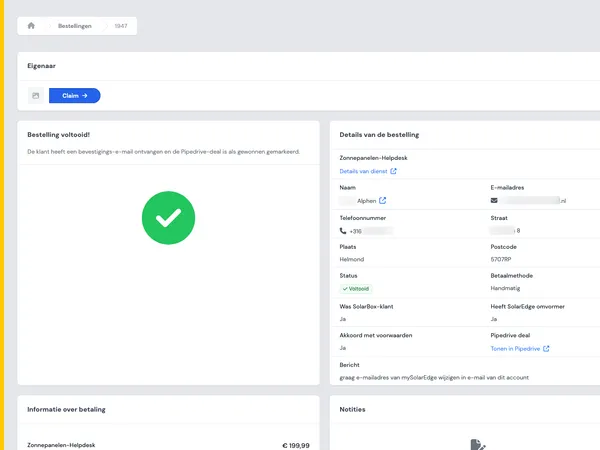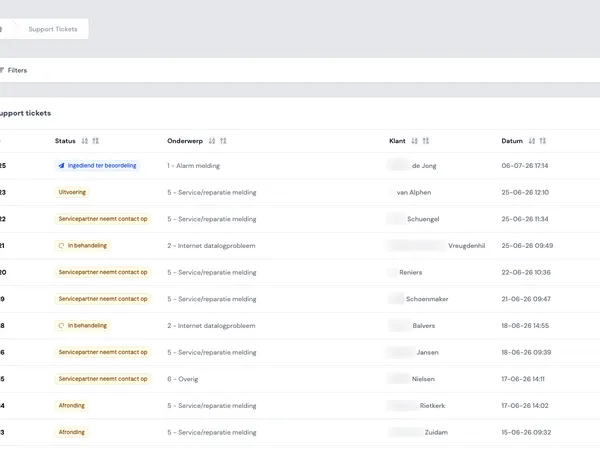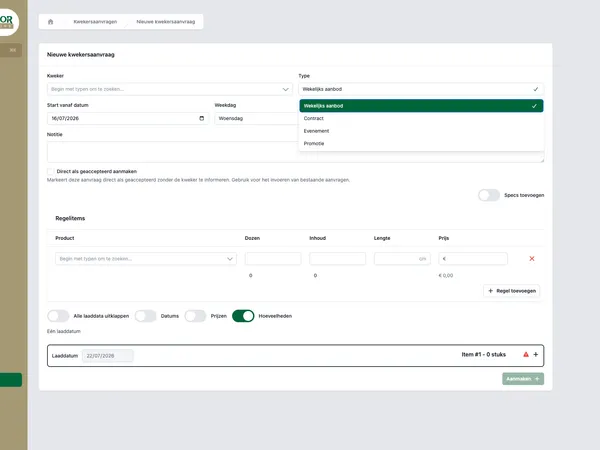
A status often looks like a small field in a portal or internal application. Yet that field largely determines whether users trust the process. Is a request still being handled? Has a contract been sent or already signed? Has a shipment been received, checked or flagged as deviating?
In custom software, statuses are often only made concrete late in the project. First the conversation is about screens, roles, integrations and dashboards. But as soon as teams start working with it, the status model turns out to be the backbone of the application. It drives actions, notifications, reports and expectations.
In this article you will read how to design workflow statuses that stay logical as processes grow. With examples from logistics, contract flows, customer portals and internal tickets.

A good status model does not start with technology, but with a shared understanding of the process.
Why workflow statuses matter so much
Workflow statuses provide context. They tell you not only where an object stands, but also what the user can do with it. Think of an order, ticket, contract, shipment, request or AI draft.
A good status answers three questions:
- What has happened? For example: a document has been sent, a shipment has been received or a draft has been generated.
- What needs to happen now? For example: checking, completing, approving, signing or resolving.
- Whose turn is it? For example: the customer, the back office, planning, the account manager or an external system.
When those three questions are unclear, users start interpreting the process themselves. That leads to loose Excel lists, extra chat messages, duplicate checks and manual follow-ups. Exactly the things custom software is supposed to reduce.
That is why a status model is not a detail. It is process design in compact form.
Common mistakes in status models
Statuses often get stuck because they grow organically. An exception is added, then an extra team, then an integration with an external system. Before you know it there are twenty statuses and nobody knows exactly when each one is used.
These are the mistakes we see often:
- Statuses describe actions instead of states. For example: send email as a status. That is an action, not a lasting process state.
- Statuses are too technical. A user sees api_pending, for example, when they want to know whether to wait or step in.
- Statuses overlap. For example: in progress, being processed and under review, without a clear boundary.
- Exceptions do not get a place of their own. Deviations are then hidden in comments, which makes reporting and follow-up difficult.
- Every role sees the same thing. An internal employee needs different information than a customer in a portal.
The solution is not always fewer statuses. Above all, it is sharper meaning. Every status should have a function in the process.

Statuses only become truly valuable when they also enable reporting and steering.
Statuses are not the same as actions
An important distinction: a status describes the current state, an action changes that state.
In a contract flow, for example, a contract can have the status draft, sent or signed. The actions are then: generating, sending, sending a reminder or archiving. In a logistics flow, a shipment can be registered, received, checked or deviating. The actions are then: scanning, adding a photo, registering a deviation or releasing.
If you mix up actions and statuses, the workflow becomes unclear. Users then do not know whether something has already happened, still has to happen or is merely possible.
A practical design principle:
- First describe the states that are relevant to the user.
- Then determine which actions may change a status.
- For each action, record which role may perform it.
- Determine which notifications or integrations it triggers.
That way statuses do not become a loose list. Together they form a workflow you can steer.
Design exceptions deliberately
In many processes, things do not go wrong on the ideal route, but in the exceptions. A shipment is missing data. A contract is not signed. An AI draft has to be reviewed again. A ticket cannot be resolved because information is missing.
If you do not design exceptions, they disappear into free-text fields. That feels flexible, but makes the process hard to manage. Nobody can easily see how many items get stuck, why that happens and who needs to step in.
So distinguish between normal progress and exception statuses. For example:
- Waiting for customer, when external input is needed.
- Deviation found, when a check turns up a problem.
- Recheck needed, when a step has to be carried out again.
- Cancelled, when the process deliberately stops.
Be careful not to create a new status for every small variation. Sometimes details belong in a reason field, category or log. The status then stays the main line, while the cause is recorded separately.
In logistics processes this is extra important. In a flow with pre-registration, scanning and photo logs, you want to see quickly which shipments run normally and which need attention. Also read how this works in practice in pre-registration, scanning and photo logs in logistics.

A status model should be simple enough for daily use and precise enough for exceptions.
Roles determine which status information is visible
A status does not mean the same thing to every user. An internal employee wants to know which actions are available. A customer mainly wants to know whether to wait or to supply something. A manager wants to see where delays occur.
That is why you design workflow statuses together with roles and permissions. Not everyone needs to see the same status name, details or action buttons.
An example from contract management: internally, a contract can go through several technical steps, such as creating it, submitting it to Signhost, waiting for signature and processing it after the return notification. For the end user, that can be shown more simply as draft, sent and signed. The internal workflow stays precise, while the portal stays clear.
You can read more about integrations like this in the article on Signhost integration in contract management.
A good status model therefore takes two layers into account:
- Internal process statuses, for steering, permissions, logging and integrations.
- User-facing statuses, for clear communication in portals and dashboards.
Notifications: only send when behaviour changes
Not every status change deserves a notification. Too many alerts create noise. Too few create uncertainty and manual follow-up.
A useful rule: send a notification when someone needs to know something in order to act differently. For example when a customer has to sign, a planner has to review a deviation or a support agent can close a ticket.
At every status transition, ask these questions:
- Who needs to know about this?
- Does that person need to do something, or is the alert purely informational?
- Is an immediate notification needed, or is a dashboard or daily overview enough?
- Should the notification also go to an external system, for example via an API integration?
That prevents notifications from becoming a second process layer next to the workflow. They support the status instead of replacing it.
Reporting requires stable status definitions
Statuses are not only useful for users. They also form the basis for reporting. How many requests are waiting for approval? Where do deviations occur? How long do tickets stay open? How many contracts have been sent but not yet signed?
For that, status definitions have to be stable. If teams use the same status differently, reporting becomes unreliable. If statuses change too often without migration or mapping, it becomes hard to compare trends.
So for each status, record at least:
- What the status means.
- Which statuses can come before and after it.
- Which role is responsible.
- Which actions are allowed.
- Which moments are logged for reporting.
In AI-assisted processes this is just as important. If a portal generates AI drafts, you want to distinguish between, for example, draft created, ready for review, edited and used as final. Otherwise it is hard to see where human review is needed. Read more about this type of process in the article on the Equaflor portal with AI jobs.
A practical step-by-step plan for your status model
A status model is best designed together with the people who run the process every day. Not only with management, and not only with development. You need process knowledge, the user’s perspective and technical feasibility.
Use this step-by-step plan as a basis:
- Map the main objects, such as order, contract, ticket, shipment or request.
- Describe the ideal route from start to finish in plain language.
- For each step, note what the user needs to know and do.
- Distinguish between state, action, reason and comment.
- Design the exceptions that need reporting or follow-up.
- For each role, determine which statuses and actions are visible.
- Only link notifications to relevant status transitions.
- Check that external systems use the same meaning.
- Test the model with real scenarios, including edge cases.
This fits how we approach custom software: first get the process clear, only then build. Also take a look at our page on automating business processes and our approach.
When is your status model good enough?
A status model does not have to be perfect before you start. It has to be good enough to steer the process reliably and simple enough to understand.
You are usually on the right track when users can see what is going on without explanation, when developers can build the transitions unambiguously, and when managers get usable reports. If one of those three groups keeps needing extra explanation, the model is probably too vague or too complex.
Workflow statuses are therefore an early design decision with a lasting impact. They determine how smoothly a portal, order flow, contract flow or internal application feels in daily use.
Want to talk through a workflow that currently involves too much manual work, too many exceptions or unclear statuses? Then get in touch with House of Devs. We will look together at where the process can become sharper and smarter.