In a customer portal, internal tool or workflow, more happens than you see on the front end. Someone changes a status. A payment comes in. A document is modified. A scan deviates from what was expected. When the question later arises of what exactly happened, you do not want to depend on assumptions or scattered messages in Slack.
Audit logs bring structure to this. They record important user actions and process events, so teams can look things up, explain them and put them right. Not everything needs to go into an audit log. It is precisely by choosing carefully what you do and do not record that logging stays useful for support, administration, security and process improvement.

Good audit logs start with choices in the design, not with a support question.
Why audit logs matter in custom software
Audit logs are not an extra for later. In many business processes, they are part of trust. They help answer questions that come up again and again in practice:
- Who changed this status?
- When was a document replaced?
- Why does this payment have a different status?
- Which user fixed an error?
- Which step in the workflow went differently than expected?
Without an audit log, questions like these end up with developers, database queries or manual detective work. That costs time and makes support dependent on technical people. With a good audit log, an administrator or support employee can see for themselves what happened, within the permissions that come with their role.
That also links audit logs directly to access management. In our article on RBAC, roles and permissions in custom web applications we explain how to decide who is allowed to do what. Audit logs answer the follow-up question: what was actually done?
What do you record in an audit log?
A useful audit log revolves around meaningful events. Not every click matters. An audit log only becomes valuable when you record what will later be relevant for explanation, control or recovery.
At its core, you usually want to store this information for each event:
- Actor: the user, integration or system task that performed the action.
- Action: what was done, for example status changed, document uploaded or payment marked.
- Object: what the action related to, such as a ticket, order, contract or scan.
- Time: when the action took place.
- Context: relevant details, such as the old and new status, the reason for a rejection or the source of the action.
In a customer portal, that could be a customer uploading a document, an employee closing a ticket or an administrator changing permissions. In a workflow tool, it could be status transitions, exceptions, checks or manual corrections.
The trick is to make the log entry readable for people. An entry such as status changed from pending to approved is clear to developers, but often less pleasant for administrators. Better: Contract status changed from in progress to approved by user X.

Above all, log the moments when responsibility, status or risk changes.
Examples from portals and workflows
Audit logs become concrete when you link them to real business processes. The right log entries differ per application, but the pattern is often the same: record the moments when something changes that will need to be explained later.
Contract statuses in a commercial process
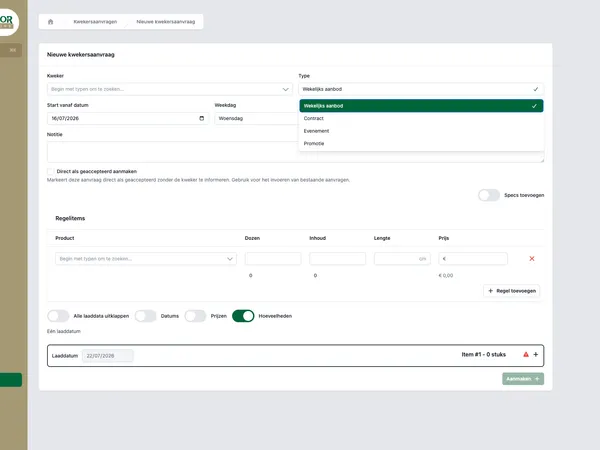
On a platform such as Tulpen.nl, contract statuses can be important. When a contract goes from draft to approved, you want to be able to see who did that and when. Rejections and corrections also deserve a place in the audit log, especially when several roles are involved in the process.
Tickets and payments in a customer portal
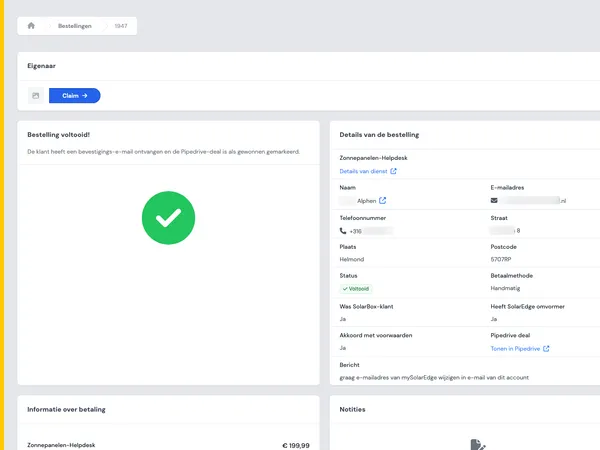
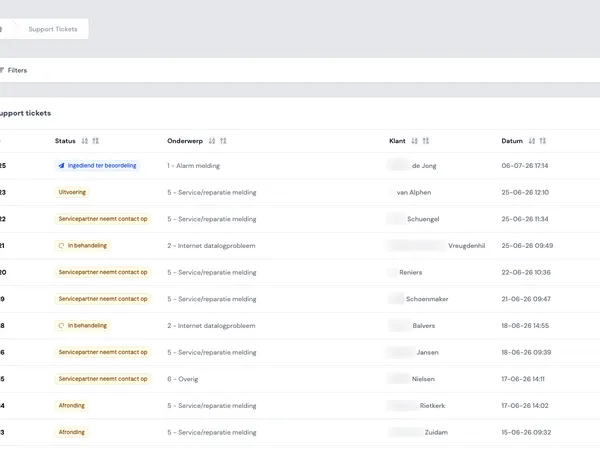
In the Control Energy portal, tickets and payments play a role. There you want to be able to see, for example, when a ticket was created, assigned, resolved or reopened. With payments, status information is often even more sensitive: received, failed, reversed or manually corrected.
Incidents in childcare processes
At Ciekeboe, incident logs are a logical example. In a process like that, you do not just want to see an end status, but also the steps leading up to it. Who registered something? Was a follow-up action created? Was the status changed later?
Scans and deviations in logistics
In the Todays Logistics portal, scans and deviations are relevant. If a scan is missing or deviates from the expected route, an audit log helps to determine where the process went differently than planned. That makes error analysis faster and less dependent on loose notes.
Audit logs are not the same as technical logs
Audit logs are often lumped together with technical logging, but they serve a different purpose.
Technical logs are intended for developers and the people who manage the infrastructure. Think of error messages, performance problems, API responses, queue failures or database timeouts. They help keep the application healthy.
Audit logs are intended to explain user actions and process events. They help you understand what happened in the application from the perspective of the business.
An example: if a payment does not go through, the technical log can show that an external payment provider returned an error code. The audit log shows that the payment was started by user X, then set to failed and later retried. Both are useful, but for a different audience.
In good custom software, these two forms exist side by side. Developers need technical details. Support and process owners need understandable events.

Technical logs help developers. Audit logs help teams understand process events.
What you are better off not logging
More logging is not automatically better. An audit log that keeps everything becomes unreadable and can introduce unnecessary risks. So do not simply record complete forms, free text fields or personal data if that is not necessary for the purpose of the audit log.
Pay particular attention to these points:
- Sensitive content: log that a document was replaced rather than the full content of that document.
- Free text: comments can contain personal data or sensitive details. Do not include them in full in logs by default.
- Passwords and tokens: these never belong in audit logs or technical logs.
- Noise: page views, hover behaviour and normal navigation usually make an audit log unusable.
- Duplicate events: prevent the same action from appearing in three places as separate audit entries without a clear relationship.
A practical approach is to determine for each process step which question you want to be able to answer later. If the log entry does not contribute to that, it probably does not belong in the audit log.
Privacy and retention periods: make deliberate choices
Audit logs can contain personal data, for example because they link a user, customer or employee to an action. That is why you need to decide in advance why you record the data, who is allowed to see it and how long you keep it.
There is no universal retention period that is right for every application. An internal approval process, financial process, customer portal or incident register can each have different requirements. So determine the period per context and record that choice.
A few practical design choices help:
- Show audit logs only to roles that need them.
- Distinguish between regular administrators and security or system administrators.
- Do not keep more detail than necessary to explain the process.
- Use consistent retention periods per type of log.
- Make sure exports and API access to audit logs are also covered by permissions.
Do not see this as legal advice. If in doubt, involve someone who is responsible for privacy, security or compliance within your organization.
An admin interface is what makes audit logs usable
An audit log that only lives in the database usually does not help the team. The value only appears when authorized users can search, filter and interpret it.
A good admin interface contains at least:
- search by user, customer, order, ticket or case file;
- filters by event type and period;
- clear labels for actions and statuses;
- a detail view with old and new values where relevant;
- a way to distinguish system actions from user actions;
- permissions that determine who may view which logs.
Pay attention to language as well. An audit log for developers can contain technical terms. An audit log for support must match the process. If the team talks about tickets, contracts, scans or incidents, use those terms in the interface too.
Designing from risk and responsibility
Audit logs work best when you design them from responsibility. Where in the process can discussion arise? Which steps affect a customer, payment, planning or reporting? Where can errors occur that will need to be traced later?
A simple method:
- Map the most important process steps.
- Mark the steps where status, ownership or financial impact changes.
- Determine for each step which question you want to be able to answer later.
- Record for each event which fields are needed.
- Design who may view the log and how long it remains available.
- Test the audit log with real support questions and error scenarios.
This approach prevents logging from becoming a technical side issue. It becomes part of the process design.
When do you include audit logs in your roadmap?
The best moment is early in the design of a portal or workflow. Then you can link audit logs to roles, statuses, notifications and admin functions. Adding them afterwards is possible, but then you often miss historical context or have to reconstruct events from technical data.
Take audit logs seriously in any case if your application works with:
- multiple user roles;
- customer portals with documents, tickets or payments;
- internal workflows with approvals;
- statuses that have consequences for customers or planning;
- incidents, deviations or manual corrections;
- API integrations that perform actions automatically.
Want to know how this fits your portal or workflow? Get in touch with House of Devs. We are happy to think along about a logging setup that suits your process, permission structure and admin practice.