A customer portal only becomes truly valuable when customers can do more than view data. Many B2B processes revolve around transactions: placing an order, completing a payment, uploading a document, creating a ticket or following the status of a request.
When those steps are spread across mailboxes, payment pages, Excel files and separate support tools, noise builds up. Customers ask for status updates. Teams check by hand whether something has been paid. Support lacks context about the order a question relates to.
A transactional customer portal does not solve that with a nice dashboard alone. It requires a sound model for orders, payments, roles, notifications, tickets and administration. In this article you will read how to structure such a portal logically.

A transactional portal revolves around the connection between order, payment and follow-up.
Why a transactional customer portal differs from a standard portal
A standard customer portal often provides access to documents, profile details or general information. That is useful, but it does not always change the operational process yet.
A transactional customer portal goes a step further. It supports actions that have consequences for internal teams, the finance department and customer communication. Think of:
- placing or changing orders;
- starting payments and processing payment statuses;
- creating support tickets with order context;
- sending automatic emails when a status changes;
- managing documents needed for delivery, invoicing or service;
- giving internal administrators insight into exceptions and open actions.
So the core is not just self-service. The core is process control. Customer, support, finance and operations work from the same source of truth.
If you first want a broader understanding of what self-service can mean for customers, also read our blog on building a self-service customer portal.
Start with the transaction model
Before you design screens, it has to be clear which objects exist in the portal and how they relate to each other. In a portal with orders, payments and support, these are often the most important parts:
- Customer or organization: the entity that users, orders, tickets and documents belong to.
- User: the person who logs in and is given certain permissions.
- Order: the request, order or reservation that moves through the process.
- Payment: the payment attempt, payment status and any error message.
- Ticket: the support question, linked to an order, a payment or the account in general.
- Document: files needed for onboarding, delivery, checks or service.
- Notification: the email or message sent when something relevant changes.
If this model is not right, problems arise later. A ticket without order context is hard to follow up. A payment without a clear status leads to manual checks. A user without a sound role model sees too much, or too little.
A strong portal therefore starts with the question: what status does each part have, who may change that status and what should happen automatically afterwards?

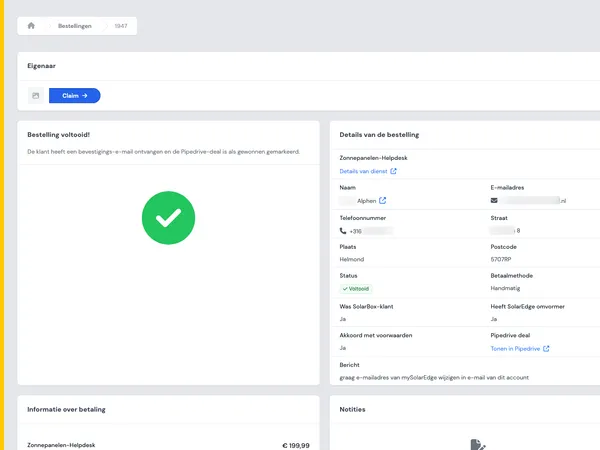
Payment statuses should be visibly and reliably linked to the right order.
Payment status is more than paid or not paid
With a payment integration, people often think too simply: the customer pays and then the order is done. In practice there are more situations the portal has to handle properly.
A payment can be started, completed successfully, expired, cancelled or awaiting confirmation. Something can also go wrong, for example when a customer closes the payment window or when an external payment provider has not yet returned a final status.
That is why a clear status model is needed. For example:
- The customer places an order in the portal.
- The portal creates a payment request with the payment provider.
- The customer completes or abandons the payment.
- The payment provider sends back a status update.
- The portal updates the order status.
- The customer and the internal team only receive a notification when that makes sense.
If you use Stripe, for example, the portal should not just show a payment page. It also has to deal carefully with callbacks, duplicate attempts, failed payments and manual follow-up. You can find more about the official options in the Stripe documentation for payments.
Support works better with order context
Support tickets become much more valuable when they are linked to the right order, payment or customer organization. A customer then does not have to explain again what the question is about. A support employee sees the context immediately.
That requires deliberate choices in the interface. Do not just let customers fill in a free text field, but offer structure:
- choose the order the question is about;
- show the current order status next to the ticket;
- let relevant documents be attached;
- record which user created the ticket;
- allow internal notes without sharing them with the customer;
- send automatic updates when the status changes.
In the Control Energy case you can see a real-world example of a portal that brings together orders, Stripe payments, support tickets, chat, automatic emails, forms and document management, among other things. That kind of coherence prevents teams from having to reconstruct process information from separate systems.

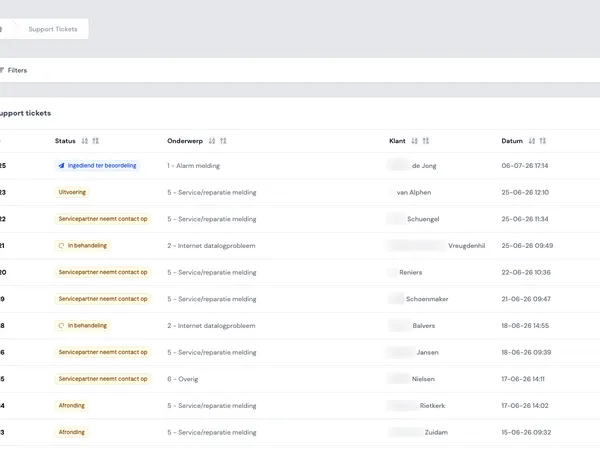
Support becomes faster and clearer when every ticket has the right transaction context.
Roles and permissions determine whether the portal stays scalable
In B2B portals, it is rare for only one person per customer to log in. There are often several users per organization: buyers, administrative staff, managers, planners or external partners.
That is why you need to design roles and permissions early. Not as an afterthought, but as part of the process model.
Examples of role questions
- Who may place an order?
- Who may start a payment or view payment information?
- Who may open tickets on behalf of the organization?
- Who may upload or delete documents?
- Who may add users or change permissions?
- Which internal roles may make status changes?
A good role model prevents sensitive information from being visible too broadly. It also prevents customers from having to contact support for every small change.
Integrations make or break the user experience
A transactional portal almost never stands on its own. It has to communicate with payment providers, CRM, ERP, support tools, email services or document storage. The quality of those integrations determines how reliable the portal feels.
Important points of attention are:
- Direction of data: which system is leading for customer data, orders, invoices or tickets?
- Timing: does an update need to be visible immediately or is periodic synchronization enough?
- Error handling: what happens if an external system temporarily does not respond?
- Logging: can administrators find out why a status was not updated?
- Security: which data is shared and with which permissions?
For many teams, this is the difference between a portal that only looks good and a portal that is used reliably every day. Also read how we approach having API integrations built if you want to connect multiple systems.

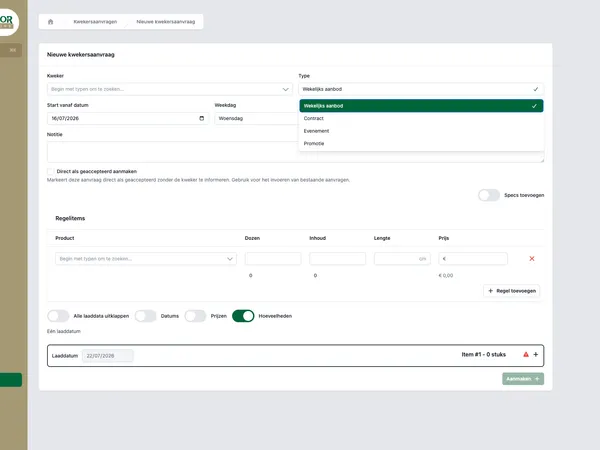
A reliable portal requires clear agreements between systems, statuses and error handling.
Admin environment: where exceptions are resolved
Self-service does not mean that everything happens automatically. Exceptions remain. A payment fails. A document is incorrect. An order needs to be corrected by hand. A customer asks a question that does not fit the standard process.
That is why a transactional portal needs an admin environment. Not just for technical administrators, but also for operational teams.
A good admin environment shows:
- which orders need attention;
- which payments do not yet have a final status;
- which tickets are waiting for internal action;
- which notifications have been sent;
- which documents are missing or rejected;
- which system integration has returned an error.
What matters is that administrators do not have to look in the database to help a customer. Exceptions have to be visible, filterable and safe to resolve.
When is custom software needed?
Not every portal has to be fully custom. If you only need a simple knowledge base, a basic login or a standard ticket form, existing software can sometimes get you a long way.
Custom software becomes interesting when the portal has to follow your own process. For example when:
- orders depend on customer-specific agreements;
- payments have to be linked to order statuses or internal approval;
- support questions need context from multiple systems;
- roles and permissions differ per customer organization;
- documents, forms and notifications are part of the same flow;
- your admin team needs to be able to resolve exceptions from one central environment.
Then you are not just building a front end for customers. You are building a process layer between customer, team and systems. House of Devs helps teams design and build digital products like these. Also take a look at our page on having a customer portal built, or get in touch if you want to talk through your own situation.